


Why Won't My MaxxAir MaxxFan Shut Off? Wall Control and Circuit Board Troubleshooting
Updated 10/20/2026 | Published 10/18/2026
Products Featured in This Question
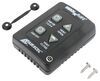
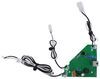
Question:
I have a maxair fan that will not shut off. Could it be the on off switch or the board gone.
asked by: Alan N
Expert Reply:
Hey Alan,
Yes, either the wall control or circuit board could be causing your MaxxAir fan to run continuously. I see you just ordered the Replacement Wall Control # MA00A03550K, so hopefully that solves it!
In the meantime, here are a few things I'd check:
Reset the fan: Turn off its 12V power at the fuse or breaker for about a minute, then restore power and see if the controls respond normally.
Check the control cable: Remove the wall control and make sure the RJ-11 connector is fully seated. Look for bent pins, corrosion, or damage to the cable.
Try the controls on the fan itself: If your model has ceiling-mounted controls, see if those can shut it off. If they work but the wall control doesn't, I'd suspect the wall switch or communication cable.
Try disconnecting the wall control: With 12V power turned off, unplug the wall controller, restore power, and observe whether the fan still runs. If it does, that makes me more suspicious of the circuit board, although it isn't a definitive test.
If none of that helps and the new wall control doesn't fix it, the circuit board would be my next suspect. We've actually seen similar problems with the MaxxFan 4751KS, where replacing the circuit board # MA10A04751KS was the recommended solution.
Do you know your MaxxFan's model number, and does the fan run continuously at full speed or just refuse to respond when you press OFF? That'll help narrow down the problem and identify the correct replacement board if needed.


Product Page this Question was Asked From
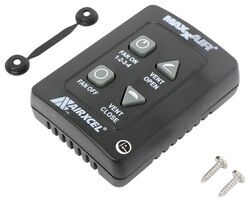
Replacement Key Wall Control For MaxxFan Plus and Deluxe - 4 Key

- Accessories and Parts
- RV Vents and Fans
- Roof Vent
- Operator Parts
- MaxxFan Deluxe
- MaxxFan Plus
- Wall Control
- MAXXAIR
more information >

Continue Researching
- Q&A: Replacement Recommendation For Older Ventline Roof Vent
- Q&A: Is GE Appliances RV Refrigerator A Residential or Absorption Type Fridge
- Q&A: Depth of GE Appliances RV Refrigerator With Doors Removed
- Q&A: Correct Replacement For A MaxxFan 4951KS
- Q&A: Will the Coleman-Mach Everest 18K BTU AC Work with the In-Command System on My Keystone?
- Q&A: Recommended Replacement Fan for a MaxxAir 4951 With a White Lid
- Q&A: Will Replacement MaxxFan Plus 4-Speed Roof Vent Work With Wall Switch
- Article: Trailer Wiring Diagrams
- Article: 4 Steps to Choosing Your 5th Wheel Pin Box
- Article: Best RV Roof Vents
- Article: Top Weight Distribution Hitches for a Buttery Smooth Ride
- Article: Brake Controller Installation: Starting from Scratch
- Article: 30-Amp and 50-Amp RV Service: What's the Difference?
- Article: How to Measure for Travel Trailer and Fifth Wheel Steps
Oleg P.
10/20/2026
So initially we thought it was wall switch, turns out it was our controller board, the original board did not have waterproofing and in time the steam in bathroom corroded contact points. We bought a replacement and it solved our problem.