


Troubleshooting Lippert Slide Out Controller 13398-DO That Has Error Codes And Only Works In Bypass
Updated 09/30/2026 | Published 09/27/2026
Products Featured in This Question

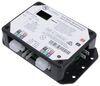


Question:
My Lippert controller 13398-D0 is blinking 1 green on the left LED, and 9 green on the right LED. Slideout can move in only on bypass. Whats up? Thanks
asked by: Thad B
Expert Reply:
Hey Thad, sorry for the troubles you're having with the Lippert slide out system.
The 1-green / 9-red blink code on your Lippert 13398-D0 points to Motor 1 with a Hall-power-short-to-ground fault. Basically, the controller isn't getting the proper encoder/Hall-sensor signal from Motor 1. Lippert says this is usually a wiring problem, which also explains why the motor itself can still move when you use the electronic override.
Before replacing anything, I'd do a quick motor-harness swap test at the controller:
Unplug the Motor 1 and Motor 2 harnesses from the controller.
Plug the Motor 1 harness into the Motor 2 port and Motor 2 into the Motor 1 port.
Try the slide briefly and check the new fault code.
If the fault moves to Motor 2 after you swap the plugs, the problem followed the original Motor 1 harness/motor, so the issue is likely in that harness, connector, or motor/encoder.
If the fault stays on controller Port 1 even though the Motor 2 harness is now plugged into that port, that points much more strongly toward a problem inside the controller itself.
If the fault follows the original Motor 1 side, inspect that harness closely for pinched or rubbed-through wiring, loose pins, corrosion, or damage at the motor connector. Lippert offers replacement harnesses in several lengths:
15' # LC247768
20' # LC229755
25' # LC238991
30' # LC229756
35' # LC238992
If the harness checks out, the Hall sensor is part of the motor assembly rather than a separately replaceable part, so the next step would be replacing the motor. I would want the part number from your existing motor before recommending one since Lippert has used several different motor versions.
If the swap test points back to the controller, the direct replacement for your 13398-D0 is the Lippert V-Sync II Controller # LC211852.
So I wouldn't start buying parts yet. That harness swap test should narrow this down considerably before you replace anything.
If the harness checks out and the motor/encoder needs to be replaced, we’ll need the part number or gear ratio from the existing motor before choosing the replacement. The common 300:1 motor is # LC236575, while some systems use the 500:1 # LC287298.


Product Page this Question was Asked From
Lippert Polarity Reversing Solenoid by Trombetta for Hydraulic Power Units


- RV Slide Out Parts
- Motor Parts
- Solenoid
- Lippert
more information >

Continue Researching
- Q&A: Recommended Replacement Solenoid for a Trombetta 214-1211-A61-06
- Q&A: Can I Replace Blue OX Tow Bar BX7420 with Blue Ox Tow Bar BX7425
- Q&A: Wiring Diagram for Lippert Replacement Hydraulic Power Unit with 2-Quart Pump Reservoir Kit
- Q&A: Tips for Installing Lippert Replacement Hydraulic Power Unit with 2-Quart Pump Reservoir
- Q&A: Is Motor Alone Replaceable on Lippert Replacement Hydraulic Power Unit with 2-Quart Pump Reservoir
- Q&A: How To Test A Lippert Hydraulic Slide/Leveling System Solenoid And Motor
- Q&A: Looking For Replacement Hydraulic Pump For Slide Out On 1997 Airstream Integrity 5th Wheel
- Article: Trailer Wiring Diagrams
- Article: How to Measure Your Trailer Wheel Bolt Pattern
- Article: 5 Things to Know About Weight Distribution Hitches
- Article: Converting Your RV Water Heater to Tankless
- Article: Can You Flat Tow a MINI Cooper?
- Article: How to Choose the Right Trailer Hitch Class
Thad B.
9/28/2026
Thanks Andrew. Just to clarify, I'm getting 1 green blink on the left motor, and then 9 GREEN blinks (not red). I did the harness swap and it followed it to motor 2, so either the harness 1 or the motor 1 is the issue. ordered a new motor on Amazon and still happening. I did test resistance on the cables and it seemed fine, but next step is to put a new harness and cable. I'll let you know how that goes. Thanks again!