


Why is My MaxxAir Fan Not Working When I Push the Auto Temp Button the Green Light Comes On?
Updated 02/06/2025 | Published 01/25/2025
Products Featured in This Question
Question:
Hi I have a Maxi fan that I bought from you last year. When I turn it on nothing happens, if I push the auto temp button I get a green light but thats all. In short the fan will not turn on. Help
asked by: Andrew J
Expert Reply:
Hello Andrew,
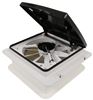
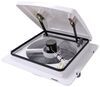
I am sorry to hear that your MaxxAir Fan is acting up. I was able to look up your order from last November and it looks like you have the # MA00-04751KSX. Here is some troubleshooting you can try to get it work:
- Check power supply to make sure you are getting the full 12V by using something like a Hook Probe Circuit Tester # PTW2993
- Inspect fuses and connections.
- Make sure the fan is not set to "Auto Off" and try turning it on manually instead of using the temperature mode.
- Reset the fan. Disconnect the power for a few minutes and then reconnect.
- Inspect the motor and the fan. Make sure that no debris got in there causing things not to spin and work.
- Inspect the circuit board. Look for burned or damaged components.
If you check all of these things and it is still not working, please let me know. If it is still not working please make sure that you include the Serial Number. To locate the serial number, you will remove the round bug screen from the fan. There is four twist tabs holding the screen up. You will turn the tabs halfway and the screen will come down. You will then see a small white sticker in one of the corners with a model and serial number.
Please let me know if you get it working and what step it was that helped. You can do so by clicking the "RESPOND TO KATE F" below.


Product Page this Question was Asked From
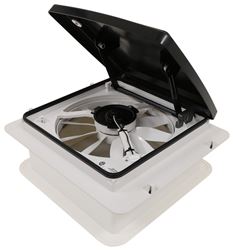
MaxxAir MaxxFan Mini Roof Vent w/ 12V Fan - Manual Lift - 4 Speed - Black

- RV Vents and Fans
- Vent
- Roof Vent
- Manual Lift
- 12V Fan
- Plastic
- Black
- MAXXAIR
more information >

Continue Researching
- Search Results: in~command tpms sensor
- Search Results: roof vent covers
- Search Results: in command
- Shop: Replacement Fabric for etrailer Powered RV Awning - 20' Wide - 4-Layer Vinyl - Black Fade
- Shop: Replacement MaxxFan Plus 4-Speed Roof Vent with White Lid
- Shop: Replacement O-Ring for Dexter Vault Hybrid Lubrication System - 1.98" Cap
- Shop: B&B Molders Quick Disconnect Valve for Exterior RV Shower - White
- Shop: B&B Molders Quick Disconnect Valve for Exterior RV Shower- Black
- Shop: JR Products Electric Cable Hatch for RVs - 5-1/8" Diameter - Black
- Shop: Valterra Electrical Cable Hatch for RVs - 4-3/16" Wide x 3-7/8" Tall - Black
- Article: Brake Controller Installation: Starting from Scratch
- Article: 30-Amp and 50-Amp RV Service: What's the Difference?
- Video: Discussing factory replacements and upgrades with the manufacturer.
- Video: Comprehensive Review: LED Light Kit w/ Switch for Solera RV Awnings with Prepflex Fabric
- Video: Feature Review Replacement Solera SmartArm RV Awning Controller Wiring Harness
- Video: Valterra Electrical Cable Hatch for RVs: The Breakdown
- Video: Hands-On with the Empire Faucets RV Handheld Shower Set w/ Slide Bar
- Video: iN-Command TPMS Sensor Pairing Manufacturer Demo
- Video: In-Depth Review of the Replacement Key Wall Control For MaxxFan Plus and Deluxe
- Search Results: roof vent rv vents and fans
- Search Results: roof vent
- Q&A: Recommended Roof Rack for a Interstate 7X16 Cargo Trailer
- Q&A: Wire Gauge Used in the MaxxAir Mini Deluxe Trailer Roof Vent # MA00-03801
- Q&A: Best Replacement For Fantastic Vent Model 810040 On A 2017 Tiffin Phaeton
- Q&A: Is There A Way To Reduce Startup Surge Power When Using Advent Air AC Unit On Winnebago Minnie RV?
- Q&A: Replacement AC for Dometic B57915.711C0
- Q&A: Availability of Victron DC/DC Battery Charger With Lithium Compatibility and Engine On Detection
- Article: Best RV Roof Vents
- Q&A: Best SnapPads For 2025 Coachman Entourage With Big Foot Quadra 7" Octagon Foot Pads
- Article: Trailer Wiring Diagrams

on RV Vents and Fans









Andrew
2/6/2025
Power supply good 12.5v good ground , fuses good Fan not in auto off, attempoted to turn on manually, No go Reset power supply & reattempted, nope still no go With controller bypassed, Power & ground supplied to fan directly, Fan works. Controller circuit board looks OK no burned traces or obvious visual signs of damage. This things got a 2 year warrenty?? Yes??