


How To Pair Voyager WiSight 2.0 Wireless RV Backup Camera and Monitor
Published 12/22/2022
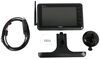
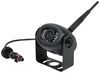
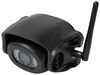
Products Featured in This Question
Question:
How do we pair the new monitor with our existing camera??
asked by: Daniel
Expert Reply:
To pair the Voyager WiSight 2.0 Wireless RV Backup Camera 7" Monitor # ASA27FR with your Voyager WiSight 2.0 Camera # ASA64YR or # ASA74YR you will need to follow the following steps.
PAIRING PROCESS
This system contains an Auto-Pairing function. If your monitor is not receiving a signal from the camera; the two may not be paired correctly.
1. Make sure the monitor is connected to 12 Volt DC power supply, but 12 Volt DC power is removed from the camera (clearance lights turned off).
2. Press the SEL/PAIR button on the front of the monitor expected mode & select the appropriate AV source.
3. Press and hold the "SEL/PAIR" button on the front of the monitor for 5 seconds and release. (Monitor will display "PAIRING")
4. Apply 12 Volt DC power to the camera (turn on the clearance lights). If pairing multiple cameras to the system, make sure that only the only the corresponding camera (Camera 1 –Camera 4 corresponding to Monitor's CH1- CH4) has power when pairing.
If done correctly, the monitor will display "PAIRING SUCCESSFUL". If pairing is not successful, the monitor will display "PAIRING FAIL". If you receive this message, repeat steps


Product Page this Question was Asked From
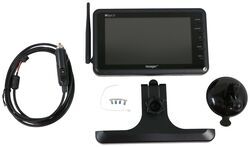
Replacement Voyager WiSight 2.0 Wireless RV Backup Camera Monitor - 7" Screen

- Accessories and Parts
- RV Camera System
- Monitors
- Dash Monitor
- Voyager
more information >

Continue Researching
- Shop: Replacement Voyager WiSight 2.0 Wireless RV Backup Camera with Low Light Assist
- Shop: Voyager WiSight 2.0 Wireless RV Backup Camera System w/ Night Vision - Rear Mount - 7" Screen
- Shop: Replacement Voyager WiSight 2.0 Wireless RV Backup Camera Monitor - 7" Screen
- Shop: Replacement Voyager WiSight 2.0 Wireless RV Backup Camera w/ Night Vision for Prewired System
- Shop: Voyager Rear Camera with LED Low Light Assist - Black
- Search Results: trailer mirror
- Shop: Voyager WiSight 2.0 Wireless Backup Camera System w/ Night Vision for Prewired RVs - 7" Screen
- Video: Review of Voyager RV Camera System - Prewired Backup Camera - ASA24YR
- Video: Review of Voyager Replacement 12V Power Cord WiSight 2.0 Monitor - VGR56ZR
- Shop: Voyager RV Backup Camera System w/ Night Vision - Rear Mount - 7" Screen
- Search Results: rv air conditioners
- Video: Setting up the 12V PWM Filter for RV Backup Camera Systems on a 2021 Thor Coleman Motorhome
- Shop: Towing Mirrors
- Video: Complete Breakdown of the Replacement Voyager WiSight 2.0 Wireless RV Backup Camera Monitor
- Video: How to Set Up Your K-Source Snap & Zap Custom Towing Mirrors on a 2023 GMC Yukon XL
- Q&A: Does the First Generation Voyager WiSight Camera Work W/ The Voayger WiSight 2.0 Monitor?
- Q&A: If a Voyager WiSight WVOM541AP Monitor Needs to be Replaced, Do You Need a Whole New System
- Q&A: Mounting Hole Spacing of Lippert Manual Step
- Search Results: electric tongue jacks
- Shop: RV Mattress
- Search Results: trailer jack
- Q&A: Solution For Powering Voyager Wisight 2.0 Monitor With 12v Cigarette Liter Power Cord
- Search Results: voyager backup camera
- Q&A: Turning Clearance for Gooseneck Trailer
- Video: Review of Shocker Hitch Gooseneck Coupler - Coupler with Inner Tube Only - SHK26YR
- Q&A: Looking for Running Light Connection Install Video for Voyager WiSight Observation System
- Video: How to Set Up Your 12V PWM Filter for RV Backup Camera Systems on a 2020 Taxa Mantis Travel Trailer
- Search Results: provides extra clearance 5th wheel gooseneck adapter
- Search Results: voyager rv camera system
- Q&A: Is An Offset Ball Needed For The Reese Goosebox In A Short Bed 2014 Ram 3500 Dually