


Pairing an iPhone With the Jensen JWM60A RV Stereo
Published 09/23/2021
Question:
My I phone won’t pare with the Drive stereo in my trailer . It comes up BT A2DP. How do I disable that
asked by: Brenda B
0
Expert Reply:
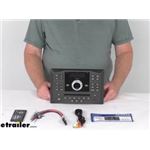
The BT A2DP will refer to Bluetooth - Advanced Audio Distribution Profile and to disable this, you will need to go into the Bluetooth settings on your Jensen RV Stereo - Double DIN - AUX/USB, Bluetooth, jControl - 12V # JWM60A. This is a fairly long process to type out, so I included an image from the instructions that will get you all squared away.
expert reply by:
Lazer S

0

Jensen RV Stereo JWM60A Bluetooth Control
(click to enlarge)
(click to enlarge)

Featured Help Information
Miscellaneous Media

Continue Researching
- Q&A: Recommended Replacement Stereo for Jensen AWM970
- Q&A: Best Replacement for Linear Series RV5090 RV Stereo
- Q&A: Best Replacement for a Jensen RV Stereo AWM910
- Q&A: Recommended Replacement For A Magnadyne RV5090 RV Stereo System
- Q&A: Recommended Replacement for Old Jensen JWM6A RV Stereo
- Q&A: Recommended Replacement For An Estone RX8500 RV Stereo
- Q&A: Replacement RV Stereo Recommendation for a Genesis GT/ 2.0
- Article: Holiday 2025 | Staff Picks for Real-Life Adventures
- Article: How to Raise Your Travel Trailer Height
- Article: How Much Solar Power Do I Need For My RV?
- Article: Which RV Propane Tank Size Do I Need?
- Article: Trailer Lighting Requirements
- Article: Brake Controller 7- and 4-Way Installation Kit (ETBC7)
- Article: Best Bike Racks for Electric Bikes