


Troubleshooting A Furrion TV That Is Stuck On Mute
Updated 08/24/2021 | Published 08/23/2021
Question:
My furrion tv is on mute and can’t be changed
asked by: Lee
Expert Reply:
Some things to check, make sure the audio wires gong to the tv is securely connected and not damaged or pinched. Make sure the correct audio source is selected the device you are using. I did call Furrion see if there was anything else, they said to make sure the batteries were fresh and not dead, check the physical device for a mute button and unmute there, and to unplug the TV and wait about 2-5 minutes and plug it back in. If you have any further questions or issues, I would be glad to help.


Product Page this Question was Asked From
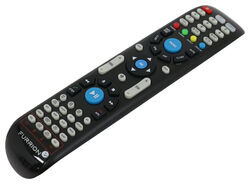
Replacement Unismart Remote Control for Furrion Indoor TVs, Stereos, and Fireplaces

- Accessories and Parts
- RV Fireplaces
- RV Stereos
- RV TV
- Remote Control
- Furrion
more information >

Continue Researching
- Q&A: Does Coleman-Mach Underbunk RV AC Come With Tubes
- Q&A: Replacement Remote For The Furrion RV Soundbar With Bluetooth
- Q&A: Does Furrion Vision S+ Have to Use Included Power Cable for Monitor
- Q&A: Troubleshooting Furrion TV Remote Not Working
- Q&A: Replacement Fireplaces For Greystone 36 Fireplace With Lost Remote
- Q&A: How to Mount 7 Way to 2019 Subaru Outback With Hidden Cross Tube Hitch
- Q&A: Replacement Remote Options for a 2020 Keystone Outback 341RD
- Article: 5 Things to Know About Weight Distribution Hitches
- Article: 2 Steps for Finding the Right Weight Distribution Hitch Size
- Article: Can You Flat Tow a 2025 Cadillac Escalade?