


Troubleshooting Furrion Vision S 4.3 Monitor Not Pairing With Backup Camera
Updated 04/13/2021 | Published 04/09/2021
Products Featured in This Question
Question:
I'm trying to setup my camera I bought From u having no luck. I have power to both the monitor and camera. Keep saying No signal . I did power down both units. Also push the button for 2 sec. Any Ideas on what I'm doing wrong.
asked by: Richard H
Expert Reply:
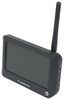
To pair your Replacement 4.3" Monitor for Furrion Vision S Wireless RV Camera System # FR77FR to your Furrion Vision S Wireless RV Backup Camera w/ Night Vision - Rear Mount - Black - Qty 1 # FCN48TASF you will need to use the up or down arrow on the monitor to highlight the pairing page, then press the power button to go to that page.
Once on the pairing page you will press the monitor paring button on the bottom of the camera, and the pair process will begin.
Once the pairing is successful you should see a red chain icon that says paired underneath it.
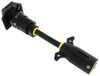
If this does not work you will need to double check that the power you are receiving to your camera is a full 12v. On some vehicles they do not send enough power through the running light circuit to adequately power the camera, and require the 7-Way Vehicle Power Adapter Cable for Furrion RV Observation Camera # FR87PR to give the correct power.
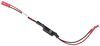
For a more permanent solution you can splice in the PWM Filter # VGR64VR behind the camera to provide a steady current for proper operation of the camera.


Product Page this Question was Asked From
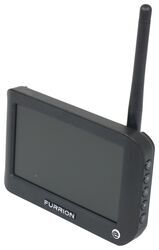
Replacement 4.3" Monitor for Furrion Vision S Wireless RV Camera System

- Accessories and Parts
- RV Camera System
- Monitors
- 4.3 Inch Screen
- Furrion
more information >
Featured Help Information
Miscellaneous Media




Continue Researching
- Q&A: Lube to Use for Gears and Legs of Lippert 2.0 Leveling System
- Q&A: Is There A Replacement 3.5" Monitor For My Furrion S+ System?
- Q&A: Weigh Safe True Tow Weight Distribution System For 7,600 Pound Trailer
- Q&A: Replacement Monitor for Furrion Vision S on 2024 Arctic Fox 811 Truck Camper
- Q&A: Troubleshooting A Furrion Vision S Monitor That Won't Turn On
- Q&A: Does Furrion Vision S+ Have to Use Included Power Cable for Monitor
- Q&A: Replacement Monitor for a Voyager WiSight 2.0 Wireless RV Backup Camera System
- Article: How Much Solar Power Do I Need For My RV?
- Article: How to Winterize & De-Winterize Your RV (Simple Guide)
- Article: Brake Controller 7- and 4-Way Installation Kit (ETBC7)
- Article: 5 Things to Know About Weight Distribution Hitches
- Article: Stability Control for Heavy Duty Vehicles
- Article: Sidewinder with Rotating Turret for Short Bed Pickups
- Article: 4 Steps to Choosing Your 5th Wheel Pin Box