


Paring the Furrion Vision S Wireless RV Backup Camera System
Updated 09/08/2020 | Published 09/03/2020
Question:
Do you push the button for 2 seconds and then pair or while your pairing?
asked by: Linda G
0
Expert Reply:
You should hold the buttons for 2 seconds on the Furrion Vision S Wireless RV Backup Camera System part # FOS43TASF to get it into pairing mode then attempt to pair the camera after that.
expert reply by:
Randy B

0

Product Page this Question was Asked From
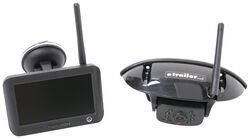
Furrion Vision S Wireless RV Backup Camera System w/ Night Vision - Rear Mount - 4.3" Screen

- RV Camera System
- Backup Camera
- Observation Camera
- Built-In Microphone
- Touch Screen
- Anti-Glare
- Mirrored Image
- Night Vision
- Motion Detecting
- Waterproof
- Pre-Wired RVs
- Wireless
- Standard View
- Dashboard Mounting Bracket
- Suction Cup Mount
- Rear
- 4.3 Inch Display
- 1 Camera
- Furrion
more information >
Featured Help Information
Instructions

Continue Researching
- Q&A: Can I Use a Voyager Back Up Camera Even If my RV is Prewired for a Furrion Camera
- Q&A: Is There Alternate Way to Mount Monitor of Furrion Vision S+
- Q&A: Is there a Furrion Camera that Will Hook Up to My Informative in My 2025 Silverado 3500?
- Q&A: Furrion Camera Has Power but Won't Pair
- Q&A: How To Power A Furrion Vision S RV Camera Monitor In A Vehicle Without A Cigarette Lighter Port
- Q&A: Power Adapter For Pulse Width Modulation On 2022 Chevrolet Silverado 2500 To Use Furrion Cameras
- Q&A: Difference Between FOS43TASF and FOS05TASF Rear Cameras
- Article: Trailer Wiring Diagrams
- Article: 5 Things to Know About Weight Distribution Hitches
- Article: 30-Amp and 50-Amp RV Service: What's the Difference?
- Article: Wiring Trailer Lights with a 7-Way Plug (It's Easier Than You Think)
- Article: Our Team Picked The Best Camping Gear of the Year - Here Are Their Top Choices
- Article: Trailer Tire Sizing
- Article: How to Measure for Travel Trailer and Fifth Wheel Steps