


No Power To Furrion Vision S Wireless RV Backup Camera When Plugged In
Updated 05/15/2024 | Published 01/01/2020
Products Featured in This Question
Question:
My 2018 Prime Time Avenger ATI is Prewired for a camera, but when I plug in my camera I can not get power. How can I find out what I’m doing wrong.
asked by: Chris R
Expert Reply:
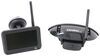
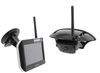
The Furrion Vision S Wireless RV Backup Camera Systems; part # FOS43TASF for 4.3" screen or part # FOS05TASF for 5" screen, are going to be powered by either the running or backup light circuit. If you don't have the running or backup lights activated, then this would indicate why you don't have power to the camera. If the running or backup lights are activated and you still don't have power then there may be a problem which could be caused by a blown fuse on the tow vehicle, wire short between the light/camera and trailer connector, and or a bad connection to the tow vehicle.


Product Page this Question was Asked From
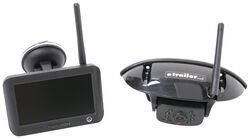
Furrion Vision S Wireless RV Backup Camera System w/ Night Vision - Rear Mount - 4.3" Screen

- RV Camera System
- Backup Camera
- Observation Camera
- Built-In Microphone
- Touch Screen
- Anti-Glare
- Mirrored Image
- Night Vision
- Motion Detecting
- Waterproof
- Pre-Wired RVs
- Wireless
- Standard View
- Dashboard Mounting Bracket
- Suction Cup Mount
- Rear
- 4.3 Inch Display
- 1 Camera
- Furrion
more information >
Featured Help Information
Instructions
Miscellaneous Media


Continue Researching
- Q&A: Troubleshooting A Furrion RV Backup Camera That Wont Power On
- Video: Setting up the 12V PWM Filter for RV Backup Camera Systems on a 2021 Thor Coleman Motorhome
- Shop: 12V PWM Filter for RV Backup Camera Systems - Hardwire
- Shop: 7-Way Vehicle Power Adapter for Furrion RV Observation Camera
- Search Results: morryde rv cargo carrier
- Shop: Furrion Vision S Wireless RV Backup Camera System w/ Night Vision - Rear Mount - 5" Screen
- Shop: MORryde StepAbove RV Steps with Strut Assist - 23-3/4" to 24-1/4" Wide Doorways - 4 Steps
- Shop: MORryde Flip Tread RV Steps for 23-3/4" to 28-1/4" Wide Doorways - 4 Steps
- Shop: MORryde StepAbove RV Steps with Strut Assist - 27-3/4" to 28-1/4" Wide Doorways - 4 Steps
- Shop: MORryde StepAbove RV Steps for 23-3/4" to 26-1/4" Wide Doorways - 4 Steps
- Q&A: What Fuse Does the Furrion Vision S Wireless RV Backup Camera System Use
- Q&A: Fuse Location In The Furrion RV Backup Camera
- Q&A: Furrion Vision S Camera Issue Fix For A 2022 GMC Sierra 2500
- Video: Replacement Pads for SnapPad Jack Stand Pad System Review
- Video: Ultimate Overview of the Handrail for Second Generation 4-Step MORryde Steps
- Video: Set up: MORryde StepAbove RV Steps with Strut Assist on a 2017 Winnebago Minnie Plus Travel Trailer
- Video: The Low-Down on the MORryde Flip Tread RV Steps for 23-3/4" to 28-1/4" Wide Doorways
- Video: MORryde Locking RV Storage Box Manufacturer Demo
- Q&A: Furrion Vision S Camera not Getting Power When Connected to Factory Plug
- Video: Furrion Vision S Wireless RV Backup Camera Installation - 2022 Forest River Salem FSX Travel Trailer
- Shop: Towing Mirrors
- Q&A: Comparing the Curt A25 and Curt Q25 5th Wheel Trailer Hitch
- Q&A: Which Set of Mounting Holes on Curt Q25 Hitch Is for Each Height Setting.
- Shop: Fifth Wheel Hitch
- Search Results: suspension enhancement
- Shop: Suspension Enhancement
- Shop: Gooseneck Hitch
Ashley
4/21/2024
What fuse and where? I’m having the same problem.