


How Does Furrion Vision S Side Camera Wire Up to Trailer Wiring
Updated 09/11/2019 | Published 09/10/2019
Products Featured in This Question

Question:
I have a new 2020 Grand Design Reflection 150 5th wheel trailer and want to install new Furrion Vision S side cameras on it. I pulled the side marker light off the trailer and found it has two wires, a black and a white see picture. The Furrion camera has three wires, a brown V+ Traffic, a red V+ Camera, and a black Ground. My Rear camera was installed by the dealer and works with the running lights. Which wires get connected where??? Will black go to black and the Brown and Red connect to the white? Also, are the cameras specific to a side of the trailer? Should the pairing button be on the top or bottom? Any advice is appreciated.
asked by: James V
Expert Reply:
For the Furrion Vision S side camera/marker light kit # FCE48TASL the brown wire goes to running light circuit for the light to come one, the black goes to ground, and the red is your trigger wire for the camera to turn on. This allows you to decide what circuit you want to activate the camera. You can run it to the running lights so that any time you want the camera to be selectable from the monitor all you have to do is turn on the running/head lights. This is the most common choice and what I recommend. So for your situation you'd run the brown and the red wire of the camera to the running light circuit of your trailer.


Product Page this Question was Asked From
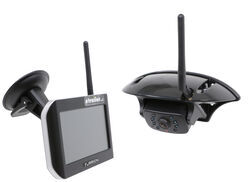
Furrion Vision S Wireless RV Backup Camera System w/ Night Vision - Rear Mount - 5" Screen

- RV Camera System
- Backup Camera
- Observation Camera
- Anti-Glare
- Mirrored Image
- Motion Detecting
- Night Vision
- Touch Screen
- Waterproof
- Pre-Wired RVs
- Wireless
- Wide View
- Dashboard Mounting Bracket
- Suction Cup Mount
- Side Marker
- 5 Inch Display
- 3 Cameras
- Furrion
more information >
Featured Help Information
Instructions
Miscellaneous Media


Continue Researching
- Shop: LED Marker Light RV Side Cameras w/ Night Vision for Furrion Vision S Systems - Qty 2
- Q&A: How to Power Furrion Side Marker Camera to Pair With Monitor
- Q&A: Wire Color Functions For The Furrion Vision S Side Marker Camera Lights
- Shop: RV Covers
- Shop: Voyager WiSight 2.0 Wireless Backup Camera System w Night Vision for Prewired RVs - 4.3" Screen
- Shop: Swift Hitch Wi-Fi Camera for Smartphone or Tablet - Wireless - Night Vision - 5-Hour Battery
- Shop: Replacement Voyager WiSight 2.0 Wireless RV Backup Camera w/ Night Vision for Prewired System
- Shop: Voyager Camera System- 3 Camera - Hardwired- 7" Screen
- Shop: Voyager RV Side Camera - Passenger's Side - Gray Primer - Qty 1
- Shop: 7-Way Vehicle Power Adapter for Furrion RV Observation Camera
- Video: In-Depth Review of the 7-Way Vehicle Power Adapter for Furrion RV Observation Camera
- Video: Detailed Breakdown of the Voyager RV Side Camera
- Video: Comprehensive Review: Voyager RV Side Camera
- Q&A: If a Backup Camera is Wired to The Reverse Lights Is It Only Going To Be On In Reverse?
- Q&A: How to Wire Up Furrion Back Up Camera on RV That Won't Drain the Battery
- Q&A: Wiring Guide For The Furrion RV Side Camera W/ Night Vision
- Q&A: What is Difference Between Furrion and Voyager Observation Pre-Wiring
- Q&A: How To Wire In 4-Wire Furrion Side Marker Cameras With Only Two Running Light Wires
- Search Results: voyager