


Picture Upside Down on the Furrion RV Observation Camera System
Updated 05/20/2019 | Published 05/18/2019
Question:
The picture on the screen is upside down How do I fix it?
asked by: Annette T
Expert Reply:
In order to fix the issue you are having the picture displaying upside down on the Furrion RV Observation Camera System part # FOS43TASF you will will need to follow the steps I have attached for you below:
Step 1: Use the up arrow or down arrow buttons to highlight "Setup" menu, then press the power button to enter the next page.
Step 2: Use the up arrow or down arrow buttons to highlight "Mirror" menu, then press the power button to enter.
Step 3: Press the up arrow or down arrow buttons to set the camera image as "Flip & Rotate". Press the power button to confirm your selection.
I have attached a photo of this process for you as well.


Product Page this Question was Asked From
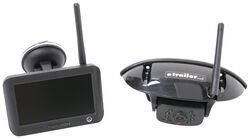
Furrion Vision S Wireless RV Backup Camera System w/ Night Vision - Rear Mount - 4.3" Screen

- RV Camera System
- Backup Camera
- Observation Camera
- Built-In Microphone
- Touch Screen
- Anti-Glare
- Mirrored Image
- Night Vision
- Motion Detecting
- Waterproof
- Pre-Wired RVs
- Wireless
- Standard View
- Dashboard Mounting Bracket
- Suction Cup Mount
- Rear
- 4.3 Inch Display
- 1 Camera
- Furrion
more information >
Featured Help Information
Instructions

Continue Researching
- Q&A: Can I Use a Voyager Back Up Camera Even If my RV is Prewired for a Furrion Camera
- Q&A: Is There Alternate Way to Mount Monitor of Furrion Vision S+
- Q&A: Is there a Furrion Camera that Will Hook Up to My Informative in My 2025 Silverado 3500?
- Q&A: Furrion Camera Has Power but Won't Pair
- Q&A: How To Power A Furrion Vision S RV Camera Monitor In A Vehicle Without A Cigarette Lighter Port
- Q&A: Power Adapter For Pulse Width Modulation On 2022 Chevrolet Silverado 2500 To Use Furrion Cameras
- Q&A: Difference Between FOS43TASF and FOS05TASF Rear Cameras
- Article: Trailer Wiring Diagrams
- Article: 5 Things to Know About Weight Distribution Hitches
- Article: 30-Amp and 50-Amp RV Service: What's the Difference?
- Article: Wiring Trailer Lights with a 7-Way Plug (It's Easier Than You Think)
- Article: Our Team Picked The Best Camping Gear of the Year - Here Are Their Top Choices
- Article: Trailer Tire Sizing
- Article: How to Measure for Travel Trailer and Fifth Wheel Steps