


Where Does Brake Controller Install Harness Plug In on a 2019 Jeep Cherokee
Published 10/18/2018
Question:
Got a 2019 Cherokee with tow package. Where do i plug in the 3014p?
asked by: Ray
Expert Reply:
The plug to connect the # 3014-P harness in your 2019 Jeep Cherokee to is behind a black cover that is just to the left of the steering column right above where the carpeting ends. You need to remove the black cover. Check out the picture I attached.
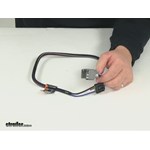
If you don't already have a brake controller I recommend the Prodigy P3, part # 90195. It's one of the easiest to setup and use controllers we carry. And it's a Tekonsha controller so it'll work with the # 3014-P. I've linked a demo video of it for you as well.


Product Page this Question was Asked From
Tekonsha Custom Wiring Adapter for Trailer Brake Controllers - Dual Plug In


- Accessories and Parts
- Trailer Brake Controller
- Wiring Adapter
- Plugs into Brake Controller
- Vehicle Specific
- Tekonsha
more information >
Featured Help Information
Instructions
Miscellaneous Media


Continue Researching
- Q&A: Using 1 or 2 Electric Jack Motors for Bulldog Single Speed Jacks with 12,000 Pound Capacity
- Q&A: What is Normal Temperature Rating for Trailer Hubs
- Q&A: Warranty Coverage of Stromberg Carlson JET-5000 Powered Trailer Tongue Jack
- Q&A: Comparing Bearing Buddy and Kodiak Red Eye Trailer Bearing Protectors
- Q&A: Installing a Trailer Brake Controller on a 2004 Toyota Highlander with Tow Package
- Q&A: What is Required to Use Curt Echo Trailer Brake Controller
- Q&A: Availability of Electric 6 Bolt Mount Brake Assemblies for 10K Axle
- Article: Brake Controller 7- and 4-Way Installation Kit (ETBC7)
- Article: Towing a Trailer? Let's Talk About Brake Controllers
- Article: 5 Things to Know About Weight Distribution Hitches
- Article: Installing an Electric Brake Controller on 2007-2013 GM Full-Size Truck or 2007-Present GM SUV
- Article: Brake Controller Installation on a Ford Full-Size Van
- Article: How to Measure for Trailer Hitch Drop
- Article: Brake Controller Installation: Starting from Scratch