


Resetting the Pin on the LCI Leveling System Remote Control
Published 11/06/2017
Question:
I purchased this from you a couple of months ago in the hopes I could connect it to my RV. I have the correct remote LC358601, and I can get the pre-defined LIGHT function on the receiver to work using the remote - so I am sure the remote is communicating with the receiver. As well, I can get the tell-tale relay to click when I depress the programming switch on the LC305117, so I know the remote is sending the configuration. However, I cannot get any of the other functions to work. One possible issue is I may have to connect the desired fuse to each remote channel, however, the remote is asking for a PIN to configure the fuses that I cannot find anywhere, nor is it in any documentation. So far, I have not been able to get the PIN from lippert. Why would you sell such an item to the public if it cannot be configured by anyone other than the OEM factory?
asked by: AWC
Expert Reply:
The pin on your LCI remote # LC358601 can be reset by following these simple steps. Press "home" button to turn on transmitter. Then press and release "home" button 5 times. Then press "config". The screen will ask you if you want to reset the screen lock PIN code. The screen will also confirm when the PIN has been reset. I've attached a photo to assist.
Try that and I bet you'll get everything working.



Product Page this Question was Asked From
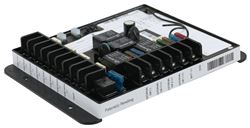
Replacement 5-Function Remote Receiver with Replaceable Fuses

- Accessories and Parts
- Camper Jacks
- Trailer Jack
- Remote Receiver
- Lippert
more information >

Continue Researching
- Video: Feature Breakdown: Replacement 5-Function Remote Receiver with Replaceable Fuses
- Search Results: maxxair rv vents and fans
- Shop: Replacement 5-Function Remote Receiver with Replaceable Fuses
- Shop: Patrick Distribution RV Handheld Shower Set w/ Slide Bar - 2 Function - Satin Nickel Finish
- Shop: Replacement 8-Function Receiver for Lippert MyRV Electronic Control System
- Q&A: RV Replacement Fridge Recommendation for Dometic RM2451
- Shop: Replacement Key Wall Control For MaxxFan Plus and Deluxe - 4 Key
- Shop: Vitrifrigo C115i OCX2 RV Mini Fridge with Built-In Freezer - 4.2 cu ft - 12V - Stainless Steel
- Q&A: Recommended Replacement For A Suburban SW6 DE RV Water Heater
- Shop: MaxxFan Deluxe Roof Vent w/ 12V Fan, Thermostat, and Remote - Powered Lift - 10 Speed - Smoke
- Shop: MaxxFan Deluxe Roof Vent w/ 12V Fan - Manual Lift - 4 Speed - White
- Search Results: blue ox bx7420
- Q&A: Replacement Remote for 2012 Keystone Cougar 322QBS Leveling System
- Q&A: Is Start Capacitor Needed For Furrion 15k Btu AC FACR15HESA-BL-AM
- Q&A: Does the Replacement 5-Function Remote Receiver with Replaceable Fuses # LC305117 Work w OneControl
- Q&A: How to Sync the Lippert Linc Analog Remote
- Q&A: Availability of Auto Start System for Cummins Onan QG 5500 Generator
- Article: RV AC Not Cooling? What's Normal, What to Check, and When to Replace
- Article: Breakaway Kit Installation for Single and Dual Brake Axle Trailers
- Article: How to Measure for Travel Trailer and Fifth Wheel Steps
- Article: Trailer Wiring Diagrams