


Why Won't My Furrion DV3100 Play DVD's When Everything Else is Working?
Updated 07/21/2026 | Published 06/29/2025
Question:
My Furrion DV3100 does not play DVD’s. It seems to search to try to read the DVD but can’t play it. Everything else seems to work. Could it be the connection on the back of the player? I haven’t removed the faceplate as I’m scared I will break something.
asked by: Dori
Expert Reply:
Hello Dori,
Sorry to hear your Furrion DV3100 isn’t playing DVDs, super frustrating, especially when everything else on the unit seems to work fine. Based on what you described, it sounds like the player is trying to read the disc but just can’t quite get there. One common cause could be the type of disc you’re using. The DV3100 only plays standard DVDs (not Blu-rays), and it can be a little picky with burned discs, especially if they’re in formats it doesn’t recognize. So first, try a couple of different DVDs (ideally factory-pressed ones) and make sure they’re clean and free of scratches.
Another possibility is that the laser lens inside the DVD drive is dirty or starting to wear out. These things can get dusty over time, especially in an RV. You might try using a DVD lens cleaning disc, they’re inexpensive, super easy to use, and often solve the problem without needing to take anything apart. If the player keeps making noises like it’s trying to read but can’t, the internal disc mechanism could be failing, which sadly does happen after a while.
Now, you mentioned wondering if the issue might be related to the connections on the back of the unit. If the radio, Bluetooth, and other functions are working, it’s probably not a connection issue, those tend to affect the whole unit, not just the DVD part. That said, if the DVD is playing but you're not seeing any video on your TV, it could be a problem with how the audio/video cables are connected. But if you’re getting an error like “no disc” or it just keeps trying to load, it’s likely an internal issue with the DVD drive itself.
As for the faceplate, you’re right to be cautious! Those can be tricky. If you decide to take a peek, using a plastic trim tool or even a credit card can help gently pop it off without damaging anything. Just go slowly and don’t force it. Behind the faceplate, you’ll be able to see if any wires look loose or if anything seems off.
If none of that works, you could swap it out for the Furrion RV Stereo w/ DVD Player - Double DIN - Bluetooth, USB - 260W - 3 Zone - 12V # DV1230BL.
What kind of RV is this in? Any big adventures in the near future?


Alex Z.
7/18/2026
Hi! I am having the same problem. It will dry to load a DVD and then say no disc. Tried this a couple times and different discs. Do you also suggest buying a new model and replacing it? Sounds expensive and difficult? Literally everything else works on the unit. My camper is a 2020 forest river alpha wolf. Thank you!



Product Page this Question was Asked From
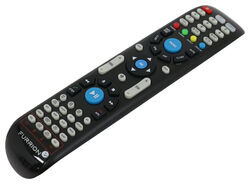
Replacement Unismart Remote Control for Furrion Indoor TVs, Stereos, and Fireplaces

- Accessories and Parts
- RV Fireplaces
- RV Stereos
- RV TV
- Remote Control
- Furrion
more information >
Featured Help Information
Miscellaneous Media


Continue Researching
- Search Results: curt spectrum
- Shop: Replacement Gear Box and A Linkage for Kwikee Electric RV Steps
- Shop: Progressive Dynamics Replacement Section for AC/DC Power Distribution Panel - 45 Amp
- Shop: 7-Way Vehicle Power Adapter for Furrion RV Observation Camera
- Search Results: switch
- Shop: Replacement HappiJac Bed Lift Motor Assembly
- Search Results: 7 round trailer wiring
- Search Results: dv1230bl
- Search Results: rv ladder
- Search Results: fresh water filter
- Search Results: fresh water tank drain
- Shop: Replacement Rubber Plug Inserts for Lippert Super Lube Dust Caps - Qty 2
- Shop: Terran Industries Rubber Plug for Dust Caps - 2K to 8K Trailer Axles
- Q&A: Replacement RV Microwave for Dometic CDMW12B
- Q&A: Can I Swap Out the Converter Section of My Parallax 6345 so I can Charge My Lithium Batteries?
- Shop: Dexstar Steel Mini Mod Trailer Wheel - 15" x 6" Rim - 6 on 5-1/2 - White Powder Coat
- Shop: Towing Mirrors
- Q&A: Is the Bargman Clearance Light Replacement Lens #59 Amber The Same Lens as SAE-A-P2-83 Lens
- Shop: Trailer Wiring
- Shop: Tonneau Cover
- Shop: RV Exterior Lighting
- Shop: Roof Rack
- Q&A: Does Coleman-Mach Underbunk RV AC Come With Tubes
- Q&A: Will Gen-Y Hitch Nomad Gooseneck Pin Box Void Lippert Frame Warranty
- Q&A: Power Cable for Jensen RV TV JTV3223DCS
- Q&A: Recommended Replacement Motor For A Greystone RV Range Hood Vent
- Article: 5th Wheel Hitch Installation | The Ultimate DIY Guide
- Article: 4 Steps to Choosing Your 5th Wheel Pin Box
- Article: 5 Things to Know About Weight Distribution Hitches
- Article: 2 Steps for Finding the Right Weight Distribution Hitch Size
Kate F.
9/2/2025
Hey Dori, Did trying different DVDs or using a lens cleaning disc help get your Furrion DV3100 to play DVDs? If you're still having trouble, I'm here to help you figure it out.