


How Do I Get My Furrion Monitor To Stop Going In To Sleep Mode?
Updated 02/17/2026 | Published 06/22/2024
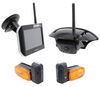
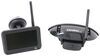
Products Featured in This Question
Question:
How do I get the monitor to stay on and not tho to sleep
asked by: Jim
Expert Reply:
Hello Jim, thanks for reaching out. Your Furrion monitor has a setting for adjusting the auto off time. The settings are for 10 seconds, 20, seconds, 30 seconds, or you can turn it off completely. Go to the menu and select 'setup". You will then select LCD auto off and it will pull up the different time settings. Select the "X" to turn the sleep mode feature off. Then press power button to save your setting. Take a look at the screenshot below from page 17 of the instructions. I have also linked the manufacturer instructions for the # FOS43TASF monitor below. Just keep in mind the auto off is there to help preserve your battery.


(click to enlarge)
Product Page this Question was Asked From
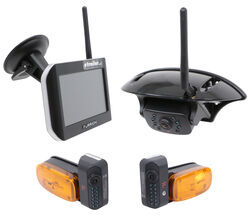
Furrion Vision S Wireless RV Backup Camera System w/ 3 Cameras - 5" Screen

- RV Camera System
- Backup Camera
- Observation Camera
- Anti-Glare
- Mirrored Image
- Motion Detecting
- Night Vision
- Touch Screen
- Waterproof
- Wireless
- Wide View
- Dashboard Mounting Bracket
- Suction Cup Mount
- Side Marker
- 5 Inch Display
- 3 Cameras
- Furrion
more information >
Featured Help Information
Instructions

Continue Researching
- Q&A: Best Rear Suspension Enhancement For 2020 Ram 2500 4WD With In-Bed Gooseneck Hitch
- Q&A: Furrion Vision S Camera Issue Fix For A 2022 GMC Sierra 2500
- Q&A: Will Furrion Vision S+ Wireless RV Observation System Fit FRCBRKT-BL On Camper
- Q&A: Maximum Tongue Weight for B&W Digital Tongue Weight Scale
- Q&A: Recommended Backup Camera for a Pre-Wired Forest River Trailer
- Q&A: Turnbuckles Recommendation for 2015 Northwood Arctic Fox Camper 990 with Torklift Tie Downs
- Q&A: Can The MORryde Safe-T-Rail Telescoping RV Hand Rail Be Mounted to an Aluminum Frame
- Article: 30-Amp and 50-Amp RV Service: What's the Difference?
- Article: How to Measure for Trailer Hitch Drop
- Article: How to Measure for Travel Trailer and Fifth Wheel Steps
- Article: Holiday 2025 | Best Gifts for RVing
- Article: 4 Steps to Choosing Your 5th Wheel Pin Box
- Article: No Missteps Here: Best Camper and RV Steps (2022)
- Article: Cleaning Your RV Black Water Tank in 4 Easy Steps
Jesse M.
2/17/2026
Hey Jim, did turning off the LCD auto off setting keep your Furrion monitor from going to sleep? Your update could make it easier for others trying to adjust their display settings too.