


Troubleshooting Hughes Portable Power Watchdog Surge Protector That Won't Connect to Bluetooth
Updated 06/24/2026 | Published 07/13/2021
Question:
After scanning the act code on the EPO watch dog it asks to name the device. I add the device, it starts scanning and comes up with no device found. Tried multiple times. The only other thing is can it be monitored on more than one phone?
asked by: Teresa R
Expert Reply:
It's possible that you might not have the correct version of the application, since my contact over at Hughes says there are 2 different applications and that there is an EPO version of app in app store that would be required to connect to your # HU87FR. You'll want to make sure that on the logo for the application- the dog's face should be black in color with red eyes- this is the EPO specific application.
If you can confirm that you've got that application and not one with a different logo, let me know and I can let you know a few other things to check out.

Larry G.
6/22/2024
I have the same problem as Teresa, After scanning the act code on the EPO watch dog it asks to name the device. I add the device, it starts scanning and comes up with no device found. Tried multiple times. I have the non-EPO model and the app with the red dog face. i barely get the camera on the QR code and it goes to the setup page. I name it and press ok, but when it searches for the device, it says it cannot be found. I've tried several times to contact Hughes but they have not been helpful. Don't return my call and the one email I received did not answer my question. Any suggestions would be appreciated. Thank you.
Mj
12/5/2024
I have the EPO 50 amp version. I checked and have the correct app. As long as I am close to the camper and on the same wifi, it works. When I am not in the area, I get the device not found message.
John B.
6/24/2026
The first gen unit will not allow two phones to have the app open at the same time. Completely close out one app, then it should find the device on the second phone.


Product Page this Question was Asked From
Portable Power Watchdog Surge Protector with Bluetooth and Emergency Shut Down - 50 Amp
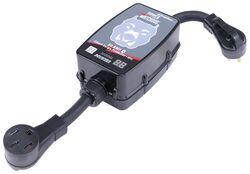

- RV Surge Protector
- Surge Protector
- 50 Amp
- Portable
- Automatic Shutoff
- Bluetooth Monitoring
- Hughes Autoformers
more information >
Featured Help Information
Instructions

Continue Researching
- Search Results: rv surge protectors
- Shop: MORryde I-Beam Mounted Stabilizer for 5th Wheels and Travel Trailers
- Shop: Replacement Voyager WiSight 2.0 Wireless RV Backup Camera with Low Light Assist
- Shop: Furrion Vision S Wireless RV Backup Camera System w/ Night Vision - Rear Mount - 5" Screen
- Search Results: furrion camera
- Search Results: backup camera
- Shop: Towing Mirrors
- Shop: Gen-Y 2-Ball Mount for 2" Hitch Receivers - 2-5/16" and 2" Balls
- Shop: Gooseneck Hitch
- Q&A: Input and Output Ends of the 50A Power Watchdog Surge Protector
- Search Results: converter
- Search Results: b and w ball
- Search Results: morryde i beam
- Shop: SmartPlug Angled RV Power Cord - 30 Amp - 30'
- Shop: Power Watchdog Surge Protector with Bluetooth, WiFi, and Emergency Shut Down - Hardwired - 50 Amp
- Shop: Replacement Surge Protection Module for Gen 2 50 Amp Hughes Watchdog Surge Protector or Power Center
- Video: The Low-Down on the SmartPlug RV Power Inlet
- Shop: Windshield Wiper Blades
- Video: Checking Out the Digital Multimeter with 42" Long Test Leads
- Q&A: Difference Between The MaxxAir FanMate Cover MA00-955003 and MaxxAir II RV Cover MA86JR
- Q&A: MaxxAir Vent Cover Compatible with Factory Installed Anchor Points
- Search Results: rv tank sensors
- Video: Comprehensive Review: Gen-Y Hitch Pin and Clip for 2" Hitches
- Q&A: How to Remove Play and Rattle from Ball Mount in Trailer Hitch
- Video: Review of Hughes Autoformers RV Surge Protectors - Surge Protector - HU42VR
- Q&A: Troubleshooting Hughes Power Watchdog that Loses Connection Once App is Closed
- Shop: Grille Guard
- Article: 30-Amp and 50-Amp RV Service: What's the Difference?
- Video: Review of MORryde Camper Jacks - I-Beam Mounted Stabilizer - MR96RV
- Video: Breaking Down the Cord Keeper for 7-Way Power Cords on 5th Wheel Pin Boxes
Greg
6/22/2024
Eric I have Hughes Power watchdog 30 amp smart surge protector I get can not find device Other problem is the low voltage setting only goes to 108. I would like to be able to set it to 113 as that what the instructions states. electrician told should be 113v so I don’t get low power burn out. Greg