



Troubleshooting Furrion Observation System that Won't Pair Using Backup Light Circuit
Updated 05/26/2021 | Published 05/24/2021
Question:
Furrion camera won’t pair to receiver. Backup light work
asked by: Diane
0
Expert Reply:
Furrion cameras are typically connected to the running light circuit as an activation circuit and not the backup lights. If you were trying to have the back up circuit active to power the camera and then pair it I would recommend trying the running light circuit and seeing if that works.
expert reply by:
Jameson C

0

Product Page this Question was Asked From
Furrion Vision S Wireless RV Backup Camera System w/ Night Vision - Rear Mount - 4.3" Screen
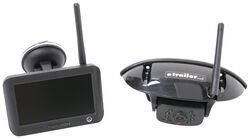

- RV Camera System
- Backup Camera
- Observation Camera
- Built-In Microphone
- Touch Screen
- Anti-Glare
- Mirrored Image
- Night Vision
- Motion Detecting
- Waterproof
- Pre-Wired RVs
- Wireless
- Standard View
- Dashboard Mounting Bracket
- Suction Cup Mount
- Rear
- 4.3 Inch Display
- 1 Camera
- Furrion
more information >
Featured Help Information
Instructions

Continue Researching
- Q&A: Camera Kit for RV that has Furrion Bracket Mounted on Rear # FRCBRKT-BL
- Q&A: Is Furrion Vision S+ Direct Replacement for Vision S
- Q&A: No Signal on Furrion Vision S Wireless RV Backup Camera System
- Q&A: Furrion Camera Has Power but Won't Pair
- Q&A: How Much Oil Should be Added to an Oil Lubrication System on Hubs
- Q&A: No Signal And PWM Fix For Furrion Vision S Camera System Connected To 2022 GMC
- Article: Our Team Picked The Best Camping Gear of the Year - Here Are Their Top Choices
- Q&A: Can 4k Axle Trailer Leaf Springs be Installed on 2019 Jayco Jayflight 267BHSW
- Article: How to Measure for Trailer Hitch Drop
- Article: Wiring Trailer Lights with a 7-Way Plug (It's Easier Than You Think)
- Article: 5 Things to Know About Weight Distribution Hitches
- Article: Gooseneck to 5th Wheel Adapters
- Article: Best 5th Wheel to Gooseneck Adapters (2023)
- Article: Sidewinder with Rotating Turret for Short Bed Pickups