


Meaning of .C. Display on Tekonsha Primus Brake Controller
Updated 01/23/2021 | Published 01/21/2021
Question:
Brake controller My brake controller screen just got a.C.on it and I’m not sure what that is
asked by: Jay T
0
Expert Reply:
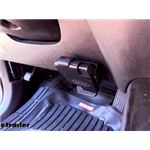
The .C. you're seeing on the display of your Tekonsha # TK90160 Primus Brake Controller indicates that there's a trailer connected and that the boost feature is turned on. To turn off the boost setting, press the boost button located above the LED display a few time until the decimal point after the C goes disappears.
If your trailer isn't plugged in, and you're seeing that display the most likely culprit is a dirty or corroded trailer connector on the vehicle side.
expert reply by:
Mike L

0

Featured Help Information
Miscellaneous Media

Continue Researching
- Article: Brake Controller 7- and 4-Way Installation Kit (ETBC7)
- Article: Brake Controller Installation: Starting from Scratch
- Q&A: Availability Of Brake Controller For Factory EBC Plug On 2025 Ford Ranger With Factory Tow Package
- Q&A: What is the Difference Between the Tekonsha Prodigy P2 and the P3 Brake Controllers
- Article: Wiring Trailer Lights with a 7-Way Plug (It's Easier Than You Think)
- Q&A: Primus IQ Brake Controller Wiring Functions
- Article: Towing a Trailer? Let's Talk About Brake Controllers
- Q&A: What is the Difference Between a 4-Way and 7-Way Trailer Connector
- Q&A: Parts Needed To Install Trailer Hitch, 7-Way And Brake Controller On 2018 Chevy Express 3500 Van
- Article: Trailer Wiring Diagrams
- Q&A: Parts Needed to Install Brake Controller in 2020 Ford F-150
- Q&A: Do Aries Running Boards Mount in Locations for Jacks on a 2018 Ram ProMaster 3500?
- Article: Parts Needed to Add Electric Drum Brakes to a Trailer
- Article: Installing an Electric Brake Controller on 2007-2013 GM Full-Size Truck or 2007-Present GM SUV