


Troubleshooting Limited Signal with Furrion Vision S Wireless RV Backup Camera
Updated 06/17/2024 | Published 07/23/2020
Products Featured in This Question
Question:
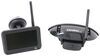
I have a Furrion 4.3” Vision S Camera System which is mounted on a on a factory installed mount on the rear of my RV a 2016 Crossroads Volante 270BH 5th wheel. I installed the rear camera after syncing with the screen with the provided cable. While in the cab of the vehicle a 2017 F250 super-crew cab, Im able to obtain 2-3 bars in strength, with an occasional and usually positional signal loss. When installed on my RV, i have only the message No Signal. Ive checked and the blue light is continuously on. While driving down the highway at any speed I occasionally see a quick blip pop up when i pass under a overpass or beside a big rig. Ive checked the antenna connection multiple times. Additionally, Ive positioned the antenna in the vertical position, at a 45 degree angle, horizontal, sideways, and in every other position imaginable all to no avail. Any assistance or tips you can provide would be greatly appreciated!
asked by: Bryan E
Expert Reply:
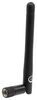
The Furrion Vision S Wireless RV Backup Camera System w/ Night Vision - Rear Mount - 4.3" Screen # FOS43TASF sounds like it simply has electrical interference or has obstructions causing that weak signal. You may want to replace the antenna with # 772577 and you should put it straight up in the air.
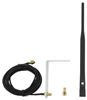
The best option in my opinion is to use extension # WVOSAPANTEXT to put the antennas closer together so the signal is stronger.



Product Page this Question was Asked From
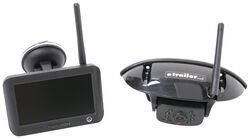
Furrion Vision S Wireless RV Backup Camera System w/ Night Vision - Rear Mount - 4.3" Screen

- RV Camera System
- Backup Camera
- Observation Camera
- Built-In Microphone
- Touch Screen
- Anti-Glare
- Mirrored Image
- Night Vision
- Motion Detecting
- Waterproof
- Pre-Wired RVs
- Wireless
- Standard View
- Dashboard Mounting Bracket
- Suction Cup Mount
- Rear
- 4.3 Inch Display
- 1 Camera
- Furrion
more information >
Featured Help Information
Instructions
Miscellaneous Media

Continue Researching
- Shop: Antenna Extension for Voyager Digital Wireless System - Compatible with WVCMS130AP and WVCMS10B
- Search Results: pwm filter
- Shop: Trailer Hitch
- Shop: Trailer Wiring
- Shop: Replacement Antenna for Furrion Vision 1, 2, and S Wireless RV Camera Systems
- Search Results: bmpro
- Shop: Watchdog Power Center Surge Protector and Voltage Booster - Bluetooth and WiFi - 50 Amp
- Video: Breaking Down the Antenna Extension for Voyager Digital Wireless System
- Shop: 7-Way Vehicle Power Adapter for Furrion RV Observation Camera
- Shop: Furrion Vision S+ Wireless RV Backup System w/ 1 Camera - 7" Screen
- Video: Breaking Down the Rain Cover for Hughes Autoformers 50 Amp Voltage Booster
- Shop: Stand for Hughes Autoformers 30 Amp and 50 Amp Voltage Boosters
- Shop: Replacement Surge Protector for Hughes Autoformer Voltage Booster with Surge Protection - 50 Amp
- Video: Ultimate Overview of the Curt 7-Way Trailer Plug Extension
- Search Results: led strip lights
- Video: In-Depth Review of the 7-Way Vehicle Power Adapter for Furrion RV Observation Camera
- Shop: Fifth Wheel Hitch
- Shop: Suspension Enhancement
- Search Results: camera
- Search Results: breakaway switch
- Video: How to Set Up Your 12V PWM Filter for RV Backup Camera Systems on a 2020 Taxa Mantis Travel Trailer
- Video: Setting up the 12V PWM Filter for RV Backup Camera Systems on a 2021 Thor Coleman Motorhome
- Q&A: Are Dexter Bearing Kits as Good as Timbren Bearing Kits for Trailer Axle
- Q&A: Troubleshooting Furrion RV Camera System Signal Issues
- Q&A: How To Stop Your Furrion Camera Monitor From Switching Out Of Tri-View Mode
- Q&A: Troubleshooting Non-Working Sidemarker Cameras Of A Furrion Vision S RV Camera System
- Shop: Gooseneck Hitch
- Search Results: 25580 bearing
- Search Results: bearing 25580 trailer bearings races seals caps
- Video: Setting up the Curt Trailer Hitch Receiver on a 2009 Saab 9-3
Vincent E.
6/17/2024
Hi, # WVOSAPANTEXT works with the Furrion Vision S sharkfin camera? All I need to do is remove existing antenna and screw in the cable that comes with the kit and attach the other end to the new antenna mounted closer to the monitor? Vincent