


How is Brightness Controlled on Furrion Observation System
Updated 04/30/2019 | Published 04/29/2019
Question:
how do I adjust screen brightness. There are no side buttons except one on upper right side.
asked by: Mary
Expert Reply:
To adjust the screen brightness of the monitor that comes with the Furrion Observation System part # FOS43TASF you'll use the up and down buttons on the right side of the monitor till you find the picture setting. You'll hit the confirm button and then once there use up and down to navigate to brightness. I attached pictures I took from the manual for the system for you to check out as well.
If you had one of the larger screen versions of the Furrion setups the only difference is that the screen is touchscreen and you'd touch the screen to select different options.



Product Page this Question was Asked From
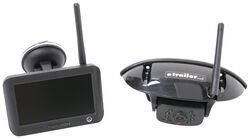
Furrion Vision S Wireless RV Backup Camera System w/ Night Vision - Rear Mount - 4.3" Screen

- RV Camera System
- Backup Camera
- Observation Camera
- Built-In Microphone
- Touch Screen
- Anti-Glare
- Mirrored Image
- Night Vision
- Motion Detecting
- Waterproof
- Pre-Wired RVs
- Wireless
- Standard View
- Dashboard Mounting Bracket
- Suction Cup Mount
- Rear
- 4.3 Inch Display
- 1 Camera
- Furrion
more information >
Featured Help Information
Instructions

Continue Researching
- Shop: RV Propane Gas Detector - 12 Volt - 2 Wire - Black
- Search Results: rv portable waste tank
- Search Results: propane rv gas detectors
- Search Results: 50 amp to 30 amp adapter
- Q&A: Adjusting Brightness of Furrion Observation System to Reduce Glare
- Q&A: How to Adjust the Brightness on the Monitor for a Furrion Wireless Backup Camera System
- Video: Firestone Ride-Rite Air Bags with Easy Mount Compressor Feature Breakdown
- Shop: Power Mountain Tallboy Off-Road Bottle Jack - 8-1/2" to 37-3/4" Lift - 6 Tons
- Search Results: trailer hitch
- Shop: Trailer Hitch
- Q&A: Replacement Propane Gas Detector for an Atwood 31013 Propane Detector
- Article: Trailer Wiring Diagrams
- Shop: etrailer Anti-Rattle Hitch Collar for 2" Hitch Receivers
- Shop: Trailer Wiring
- Search Results: trailer wiring
- Q&A: Lug Nut Torque Chart for Trailer Wheels
- Article: Brake Controller 7- and 4-Way Installation Kit (ETBC7)
- Shop: Suspension Enhancement
- Search Results: rv air conditioners
- Article: How to Measure for Trailer Hitch Drop
- Video: B&W Companion OEM 5th Wheel Hitch Manufacturer Breakdown
- Q&A: Recommended Replacement for Atwood RV Propane Gas Detector 31013
- Shop: etrailer Trailer Wiring 7-Way Upgrade Kit w/ Junction Box and RV Style Connector
- Shop: Fifth Wheel Hitch
- Q&A: What Is An OEM Prep Package And How Do I Know If I Have It
- Article: Wiring Trailer Lights with a 7-Way Plug (It's Easier Than You Think)
- Search Results: trailer tires and wheels
- Shop: BTBRV Magnetic Hitch Receiver Reducer Set - 3" to 2-1/2" & 2-1/2" to 2"
- Q&A: How to Replace a Lance 6-Pin Plug w/ a Standard 7-Way Connector
- Shop: Base Plate for Tow Bar