


Adjusting LCD Auto Off Settings for Furrion Visions S Monitor
Updated 04/08/2019 | Published 04/06/2019
Products Featured in This Question

Question:
Monitor goes black, touch the screen and it comes back on
asked by: Brian
0
Expert Reply:
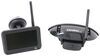
To adjust the "LCD Auto Off" setting on your Furrion Vision S Monitor, like what comes with part # FOS43TASF or # FOS05TASF, you will need to touch your menu button and then touch "Setup" on the menu screen.
Once you are here touch the "LCD Auto Off" and then choose between X (off), 10 sec, 20 sec, or 30 sec. These will determine how long your screen will remain on before it automatically turns off like what you are experiencing.
expert reply by:
Jon G

0

click to enlarge

click to enlarge
Product Page this Question was Asked From
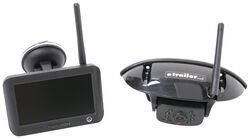
Furrion Vision S Wireless RV Backup Camera System w/ Night Vision - Rear Mount - 4.3" Screen

- RV Camera System
- Backup Camera
- Observation Camera
- Built-In Microphone
- Touch Screen
- Anti-Glare
- Mirrored Image
- Night Vision
- Motion Detecting
- Waterproof
- Pre-Wired RVs
- Wireless
- Standard View
- Dashboard Mounting Bracket
- Suction Cup Mount
- Rear
- 4.3 Inch Display
- 1 Camera
- Furrion
more information >
Featured Help Information
Instructions
Miscellaneous Media


Continue Researching
- Q&A: Is there a Furrion Camera that Will Hook Up to My Informative in My 2025 Silverado 3500?
- Q&A: Difference Between FOS43TASF and FOS05TASF Rear Cameras
- Q&A: Replacement Furrion Camera For FOC48TA-BL Installed on a 2016 Grand Design Image Travel Trailer
- Q&A: Is There an RV Roof Vent Assembly that Can be Thermostatically Controlled
- Q&A: Bolt Hole To King Pin Measurement For The Lippert 1716 5th Wheel Pin Box
- Q&A: Is Furrion Vision S+ Direct Replacement for Vision S
- Q&A: Recommended Longest Extended Pin Box for a Lippert 1621 Bolt Pattern
- Article: Trailer Wiring Diagrams
- Article: 30-Amp and 50-Amp RV Service: What's the Difference?
- Article: 5 Things to Know About Weight Distribution Hitches
- Article: Trailer Tire Sizing
- Article: How to Measure for Travel Trailer and Fifth Wheel Steps
- Article: How to Winterize & De-Winterize Your RV (Simple Guide)
- Article: Sidewinder with Rotating Turret for Short Bed Pickups