


Troubleshooting Tekonsha Primus Trailer Brake Controller Overload Error Message
Updated 02/05/2019 | Published 02/04/2019
Question:
I have a Primus controller that keeps flashing the overload code and can’t figure out why it is.
asked by: Eric M
Expert Reply:
You can best troubleshoot your Primus IQ Trailer Brake Controller # TK90160 by disconnecting your trailer from your Ram. Disconnecting the trailer allows you to check the controller and vehicle side of things first. Select full power and boost and apply the manual control.
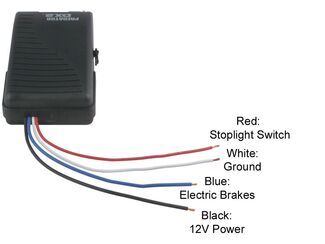
If you still get the overload error code (the flashing o.L) then you'll want to check the Primus' blue output wire for damage. The problem could be damage to the output wire's insulation or it might be rubbing against the frame, causing a dead short. Trace the output wire from the controller to the 7-way looking for any signs of repairable damage.
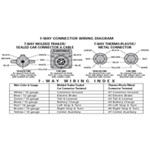
The issue could also be related to corrosion inside the 7-way socket on the truck. If corrosion builds up inside the connector that can cause adjacent circuits to become bridged together which can cause a short that the controller will think is an overload.
If you DO NOT get the error message when you test without the trailer the this normal operation tends to suggest the problem is on the trailer. Check the same things on the trailer as you did on the truck. Inspect the 7-way plug for signs of corrosion inside it where the contacts are and again trace the brake circuit wire all the way back to the brake assemblies. Again look for damaged wire, wire rubbing on the trailer frame or any other visible faults. You can also refer to the two linked articles.
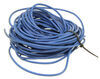
If you need to replace any brake wire use 10-gauge # 10-1-1.

Featured Help Information
Miscellaneous Media

Continue Researching
- Article: Brake Controller 7- and 4-Way Installation Kit (ETBC7)
- Article: Brake Controller Installation: Starting from Scratch
- Q&A: Availability Of Brake Controller For Factory EBC Plug On 2025 Ford Ranger With Factory Tow Package
- Q&A: What is the Difference Between the Tekonsha Prodigy P2 and the P3 Brake Controllers
- Article: Wiring Trailer Lights with a 7-Way Plug (It's Easier Than You Think)
- Q&A: Primus IQ Brake Controller Wiring Functions
- Article: Towing a Trailer? Let's Talk About Brake Controllers
- Q&A: What is the Difference Between a 4-Way and 7-Way Trailer Connector
- Q&A: Parts Needed To Install Trailer Hitch, 7-Way And Brake Controller On 2018 Chevy Express 3500 Van
- Article: Trailer Wiring Diagrams
- Q&A: Parts Needed to Install Brake Controller in 2020 Ford F-150
- Q&A: Do Aries Running Boards Mount in Locations for Jacks on a 2018 Ram ProMaster 3500?
- Article: Parts Needed to Add Electric Drum Brakes to a Trailer
- Article: Installing an Electric Brake Controller on 2007-2013 GM Full-Size Truck or 2007-Present GM SUV