


Recommended Voyager Back Up Camera System To Replace Discontinued Voyager Kit On 2010 Itasca Sonova
Updated 07/29/2021 | Published 07/27/2021
Products Featured in This Question
Question:
I have a 2010 itasca Sonova 30ft class A camper with a voyager model no . Vom703snwin 7” b/w monitor in it , it was taking a long time to come on when I started the vehicle , eventually it stopped , so do you have the same model or one similar ? Thanks
asked by: Jeff H
Expert Reply:
I have a complete replacement back up camera system option for your 2010 Itasca Sonova 30' Class A Camper, but your current Voyager camera and monitor has been discontinued.
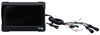
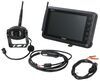
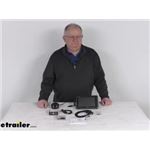
I recommend replacing the camera and monitor with the Voyager WiSight 2.0 Wireless RV Backup Camera System w/ Night Vision # ASA57YR which is a modern wireless camera option that includes a a new back up camera, and a new 7.0" monitor.
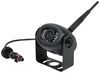
This system includes one camera, but you can add up to 3 more of the # ASA64YR if desired.
I included a video of the Voyager WiSight System for you to take a look at.

Product Page this Question was Asked From
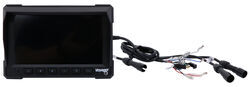
Voyager RV LCD Observation Monitor - 7" Screen - 3 Video Inputs

- Accessories and Parts
- RV Camera System
- Monitors
- Voyager
more information >
Featured Help Information
Instructions
Miscellaneous Media

Continue Researching
- Q&A: 7 Inch Monitor to Replace AOM713WP Monitor on Voyager RV Observation Camera System
- Q&A: Correct Replacement for Voyager AOM713 Monitor
- Q&A: Can I Replace a Voyager VOM-784CT Monitor and Maintain the Tilt Function for the Rear Camera?
- Q&A: Replacement Monitor for Voyager AOM701
- Q&A: Replacement Camera And Monitor For A Voyager AOM 711
- Q&A: Is Monitor VOM718 Compatible with Camera VCMS17B
- Q&A: Replacement Monitor and 3 Camera Setup for VOM784CT that is in Color
- Article: 30-Amp and 50-Amp RV Service: What's the Difference?
- Article: Wiring Trailer Lights with a 7-Way Plug (It's Easier Than You Think)
- Article: Most Popular Wheel Bearings
- Article: Best Vehicles to Flat Tow Behind an RV