


Wiring The Furrion Vision S Wireless RV Side Marker Cameras To Your RV
Updated 06/28/2021 | Published 06/25/2021
Products Featured in This Question
Question:
For Kevin C. A couple more questions. My side cameras have four 4 leads. Ground, +V for camera, +V for lights, and another labeled as Trigger. I want all cameras ON when I turn on my headlights i.e., all the time. Do I need to hook the Trigger lead to the same +12VDC as the camera and Light leads or leave it OPEN. There is no turn signal lead for my side lights. Additionally, still trying to pair the side light I installed. Does the side camera module also clickinch when the pairing button is pushed? Seems you have to push pretty hard and I cant detect any particular motion. Does any body make an adapter to plug into the side camera to match with the rear camera power plug on the Monitor power plug -in? Thanks
asked by: Roy E
Expert Reply:
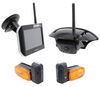
On the Furrion Vision S Wireless RV Observation Camera System w/ Side Marker Light Cameras - 5" Screen
Item # FCE48TASL-05 the Red (V+ Camera) goes to the positive wire of the running light circuit, the Black (GND) to the ground, the Yellow (Trigger) to the left/right turn signal (only available for LED versions), and the Brown (V+ Lamp) to the positive wire of the running light. If you have a turn signal circuit you would need to wire the Yellow wire to that, if not you can just cap the wire with some electrical tape.
You'll twist the Brown and Red together and run them to the running lights circuit so that anytime you turn on the headlights the cameras will receive power and the Black wire will run to your ground. I've attached a video where David will show you this.
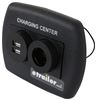
You shouldn't have to press the button hard to get it to pair. You should hear the clicking sound once it pairs. There isn't an adapter to plug the side cameras into the rear camera. If the distance between the monitor and cameras is causing the pairing issue you could install the Charging Station for RVs - 2 USB Ports - 12V Socket - Black Item # DG61023VP inside your camper and power the monitor in this to cut down on the distance. Typically people install these outlets to have the monitor run while parked at the campsite and run a wire from the cameras to the RV battery for power and use it as a security system.
If you're still having issues with the monitor not pairing there may be a hardware issue with the cameras and you'll want to reach out to Furrion for a warranty replacement.

Product Page this Question was Asked From
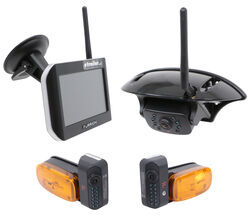
Furrion Vision S Wireless RV Backup Camera System w/ 3 Cameras - 5" Screen

- RV Camera System
- Backup Camera
- Observation Camera
- Anti-Glare
- Mirrored Image
- Motion Detecting
- Night Vision
- Touch Screen
- Waterproof
- Wireless
- Wide View
- Dashboard Mounting Bracket
- Suction Cup Mount
- Side Marker
- 5 Inch Display
- 3 Cameras
- Furrion
more information >
Featured Help Information
Instructions
Miscellaneous Media


Continue Researching
- Q&A: Correct Sidewinder Wedge for B&W Companion
- Q&A: RV AC With Cooling and Heat for a Goosneck Trailer That Does Not Have An AC
- Q&A: Will Goodyear Endurance ST225/75R15 Fit 2024 Winnebago Access 26RL
- Q&A: Will B&W Continuum Work With 2024 Ford F-250 Towing 2021 Keystone Hideout 28RKSWE
- Q&A: Back Up Camera For an In Bed Camper
- Q&A: Replacement Side Cameras for a 2014 Newmar Canyon Star 3953
- Q&A: Best Rear Suspension Enhancement For 2020 Ram 2500 4WD With In-Bed Gooseneck Hitch
- Article: 4 Steps to Choosing Your 5th Wheel Pin Box
- Article: Trailer Wiring Diagrams
- Article: How to Measure for Travel Trailer and Fifth Wheel Steps
- Article: How Your RV Water System Works: A Complete Newbie's Guide
- Article: How to Install an RV Awning From Scratch
- Article: How to Measure for Trailer Hitch Drop
- Article: What is a Fifth-Wheel Camper