


How To Adjust The Camera On The Custom Third Brake Light Camera # 3460010
Updated 04/19/2021 | Published 04/17/2021
Question:
Can you tell me how to adjust the camera on my #346001?
asked by: Randy S
0
Expert Reply:
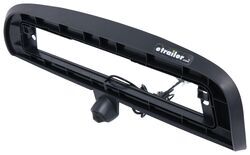
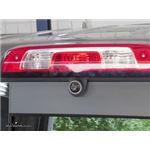
The camera on part # 3460010 is a ball within a socket. So all you have to do it move the camera with your fingers to align it properly. It will be a little tight so it doesn't move while you're driving so you may need to use a little force than expected.
expert reply by:
Adam E

0

Product Page this Question was Asked From
Custom Third Brake Light Camera for 8" Factory Monitor - Night Vision

- Accessories and Parts
- Backup Camera
- Third Brake Light
- Third Brake Light Camera
- For 8 Inch Factory Monitor
- GCH Automotive
more information >
Featured Help Information
Miscellaneous Media

Continue Researching
- Q&A: Installation Instructions for GCH Truck Bed Cargo Camera # 3460010
- Q&A: Installing GCH Truck Bed Cargo Camera # 3460010 on 2018 GMC Sierra 3500
- Q&A: What is Difference Between 7 and 8 inch Monitor Version of GCH Third Brake Light Camera
- Q&A: How Does GCH Backup Camera Integrate Into Third Brake Light of 2021 Chevy Silverado 3500
- Q&A: Troubleshooting Factory Backup Camera Quality Degraded Following Third Brake Light Camera Install
- Q&A: Is GCH Truck Bed Cargo Camera # 3460010 Camera Angle Adjustable
- Q&A: How to Turn Off the Guidance Lines on the Custom Third Brake Light Camera
- Article: Gooseneck to 5th Wheel Adapters
- Article: 4 Steps to Choosing Your 5th Wheel Pin Box
- Article: How to Measure for Travel Trailer and Fifth Wheel Steps
- Article: 5th Wheel Hitch Installation | The Ultimate DIY Guide
- Article: The Best 5th Wheel Hitches
- Article: How to Measure for Trailer Hitch Drop
- Article: Towing a Trailer? Let's Talk About Brake Controllers