


How To Turn Off Subtitles On Drive Stereo VDO-5217BT
Updated 01/19/2021 | Published 01/15/2021
Question:
I am not able to find a menu on the DVD player or the remote. So how would I turn off the subtitles?
asked by: Selena
0
Expert Reply:
I am not sure of your exact model but I was able to reach out to Way Interglobal (Main Distributor for Drive Stereo) who provided a manual for the VDO-5217BT model. On this model, there is a button on the remote to turn on/off the subtitles/closed captions. I have attached a photo below.
If you have a different model/remote, please just let me know what that is.
expert reply by:
Conner L

0

click to enlarge
Product Page this Question was Asked From
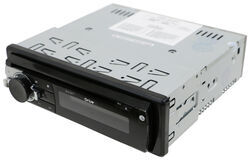
RV DVD Player - Single DIN - 180W - 12V

- RV Stereos
- In-Wall Stereo
- Multimedia System
- 180 Watts
- 12V
- Single DIN
- No Bluetooth Compatibility
- 7-1/4W x 2-1/8T x 6-1/2D Inch
- CD/DVD Player
- Drive
more information >

Continue Researching
- Q&A: Replacement for Dometic AC On 2009 Monaco Dynasty Regal IV
- Q&A: Replacement For Dometic AC 59516.331
- Q&A: Best Replacement AC for Dometic Duo Therm 57915.531
- Q&A: What Heat Strip Works With The Advent Air RV Air Conditioner System ADV99QR
- Q&A: Can Advent Air RV AC Unit Thermostat Control Furnace
- Q&A: Option to Replace Furrion RV Stereo DV5600
- Q&A: Recommended Gen-Y Hitch Shock Absorbing 5th Wheel Pin Box for an 1116 Bolt Pattern
- Article: RV AC Not Cooling? What's Normal, What to Check, and When to Replace
- Article: Guide to Choosing the Best Truck for 5th-Wheel Towing
- Article: Is It Illegal to Leave My Hitch on My Truck?
- Article: How to Strap a Kayak to a Roof Rack in 4 Steps (With Pictures)
- Article: 30-Amp and 50-Amp RV Service: What's the Difference?
- Article: What are the Common Types of Propane Fittings Used on RVs?
- Article: 4 Reasons Not to Use RV Solar Power (And 4 Reasons You Should)