


How is Active Fuel Management Turned Off or On with Edge CTS2 Programmers
Updated 02/18/2020 | Published 02/17/2020
Question:
How do I disable the afm wth the edge evolution cts2 85450 programmer
asked by: Jose
0
Expert Reply:
On your Edge CTS3 programmer # EP39YR press the home button and scroll down to settings. Once you are in the settings menu, you'll be able to scroll down and see the option for active fuel management. If you don't see this option, you need to update your programmer as this wasn't a feature always supported. But with current updates it was released.
expert reply by:
Jameson C

0

Product Page this Question was Asked From
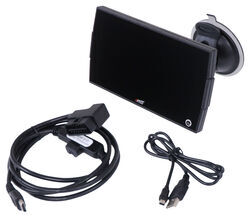
Edge Gas Evolution CTS3 Performance Tuner - Color Screen

- Performance Chip
- Performance Tuners
- With Monitor
- Color Touch Screen
- No - Not California Approved
- Evolution
- Edge
more information >
Featured Help Information
Instructions

Continue Researching
- Article: Performance Chips and Modules
- Q&A: Horsepower Gains for 2014 Chevy Silverado 5.3L with Programmer, Cold Air Intake, and Exhaust Mods
- Q&A: I Have Replaced Parts Before With No Issue, Why Is My Superchips Flashpaq F5 Not Working Right Now
- Q&A: Edge Evolution Programmer for a 2015 Chevy Silverado 2500HD with 6.0 Liter Motor
- Q&A: Will Edge CTS3 Programmer Fit 2011 Chevy Silverado with 6.0 and Basic Bolt Ons
- Article: 5 Things to Know About Weight Distribution Hitches
- Article: Converting Your RV Water Heater to Tankless
- Q&A: How to Increase Towing Power in 2003 Chevrolet Avalanche 1500 with 5.3L V8 Towing 7600-lb Trailer
- Article: Anti-Rattle Devices
- Q&A: What Caliper and Brake Pads do I Need to Replace My TDE Caliper 4690?
- Q&A: Can Weigh Safe Anti-Rattle Reducer Sleeve be Used with Weight Distribution
- Article: Rooftop Cargo Carriers
- Article: Holiday 2025 | Best Gifts for RVing
- Article: Gooseneck Trailer Hitch Information and Review