


Replacement Remote Recommendation for Lippert 3.0 Ground Control Leveling System
Updated 03/24/2016 | Published 03/23/2016
Products Featured in This Question
Question:
can you progam remote for ground control 3.0 lci electronic leveling system even if it did,nt come whit remote new ,
asked by: Melvin A
Helpful Expert Reply:

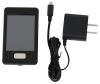
We offer a replacement remote for the Lippert Ground Control 3.0 part # LC358590. For that you would need the part # LC358601. Did you just not receive your remote? If that is the case this would work well.
Here is how the remote would get programmed:
1. Enter the Leveler app on the LINC Remote.
2. Turn the remote on by pressing and releasing the large silver button at the bottom of the unit.
3. Press the “OK” button on the touch screen to access the Function Menu.
4. Press the Leveler App button.
5. With the interface turned off, press LEFT 5 times and then RIGHT 5 times.
6. The LCD on the interface should read “Wireless Configuration”.
7. Click any button on the LINC remote in the Leveler App.
8. The LCD on the interface should read “Successful!” Your wireless Level-Up system is now ready to use.

Product Page this Question was Asked From
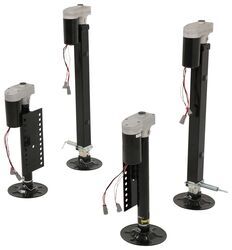
Lippert Ground Control 3.0 Electric 5th Wheel RV Leveling System w Touchpad - 4-Point Set

- Camper Jacks
- 5th Wheel Camper
- Stabilizer Jacks
- Steel
- 10001 lbs or More
- Electric Jack
- 36 Inch Lift
- Bolt-On
- 4 Jacks
- Lippert
more information >
Featured Help Information
Instructions

Continue Researching
- Q&A: Does etrailer Carry Andersen Ultimate Safety Chain Attachment
- Q&A: Lippert Ground Control 3.0 Leveling System For A Prepped Forest River Wolf Pack 315PACK12
- Q&A: Replacement Front Jack for Lippert Ground Control 3.0 Leveling Systems
- Q&A: Where are Circuit Breakers/Fuses Installed on Lippert Electric Stabilizer Jacks
- Q&A: Can I Grease or Lube the Inside of My Lippert 3.0 landing Gear?
- Q&A: Can 5,500 RPM Landing Gear Motor for Camper be Upgraded to Faster Setup
- Q&A: Recommended Camera For 2017 Ram 1500 Factory Reverse Camera System
- Article: 4 Steps to Choosing Your 5th Wheel Pin Box
- Article: Which Sway Control Hitch is Right For Your Trailer?
- Article: How to Replace Trailer Leaf Springs in 5 Steps
- Article: How to Measure for Travel Trailer and Fifth Wheel Steps
- Article: Trailer Wiring Diagrams
- Article: 30-Amp and 50-Amp RV Service: What's the Difference?
- Article: Our Team Picked The Best Camping Gear of the Year - Here Are Their Top Choices