


Where to Tap Into on a 2004 Chevy Tahoe to Add Extra Brake, Tail, and Turn Signal Lights
Published 11/06/2014
Question:
no one ever covers this, where do I tap in to? I am adding stop turn and tail lights to both ends , Not tail in front, yellow in front, red back Thank You p.s. using post two sided LED lights for the bumpers ends
asked by: Norm S
Helpful Expert Reply:

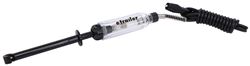
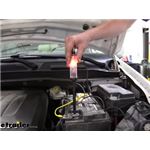
You will need to identify the correct wires for each function on the 2004 Chevy Tahoe by either tracing the wires or by using a circuit tester such as # PTW2993. So, for example, for an additional turn signal at the front you would find an existing turn signal wire at the front and splice into it. The same goes for the other functions.
For the back you would do the same thing; identify the wires and tap in accordingly.


Product Page this Question was Asked From

Featured Help Information
Miscellaneous Media

Continue Researching
- Q&A: Trailer Running Lights Do Not Work but Brake Lights and Turn Signals Do Work
- Article: Trailer Wiring Diagrams
- Q&A: How to Test Brake Controller without Trailer Connected
- Q&A: Recommended Bike Rack and Dual Hitch Adapter for Carrying E-Bikes While Flat Towing
- Q&A: Recommended Flat Tow Setup for a 2026 Ford Maverick
- Article: Wiring Trailer Lights with a 7-Way Plug (It's Easier Than You Think)
- Q&A: Trailer Turn Signals Both Blink when Just Left Turn Signal is Activated
- Article: Brake Controller Installation: Starting from Scratch
- Article: Brake Controller Installation for 2007 (New Body Style) - 2013 GMC Sierra and Chevy Silverado
- Article: Installing an Electric Brake Controller on 2007-2013 GM Full-Size Truck or 2007-Present GM SUV
- Q&A: Troubleshooting Right Side Trailer Lights Not Working, Left Side Working Correctly
- Article: Troubleshooting 4 and 5-Way Wiring Installations
- Q&A: How to Activate 12V Trailer Power Circuit on 2017 Ford F-350 Super Duty
- Article: Brake Controller 7- and 4-Way Installation Kit (ETBC7)