


Recommended Voyager WiSight 2.0 Wireless RV Backup Camera System to Replace a Magnadyne Camera
Updated 07/23/2026 | Published 07/05/2026
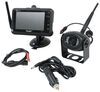
Products Featured in This Question
Question:
Hello, Any chance you have measurements of the base of the camera mounting bracket? I have an Intech Sol Eclipse which came pre-wired for a Magnadyne camera so I have power and found change the plug no problem. Just want to know if bracket matches up to one on trailer.
asked by: Matt
Expert Reply:
I sure do Matt! The mounting bracket is 1 1/4" wide and has mounting holes spaced 1-13/16" apart for the camera included with the Voyager WiSight 2.0 Wireless RV Backup Camera System w/ Night Vision item # ASA84YR. The brackets just shy of 3" long overall. This kit includes an adapter so you'll easily be able to splice into the pre-wired setup.
Are you adding the camera to help backing or do you plan on using it while you're traveling as well?
You can add this information, along with any other questions you have, where it says Add Comment.


(click to enlarge)

(click to enlarge)

William K.
7/10/2026
Camera was a replacement on my truck camper. Easy to install and works well. Only issue is the screen is small.

Timothy
7/11/2026
I’ve had mine for a few years now and it works great. I mainly use it when I back my camper up to hook up my boat. Easy installation and setup. The only fall back is that I have to have my lights turned on for it to work in my situation. I’m used to running my lights on auto mode. Not a big deal.


Matt
7/13/2026
Thanks, this is helpful. Are you adding the camera to help backing or do you plan on using it will you're traveling as well? I planned on using it for both. Are there considerations around that? Thanks, Matt

Eric S.
7/21/2026
the unit works well. the screen is small however

Product Page this Question was Asked From
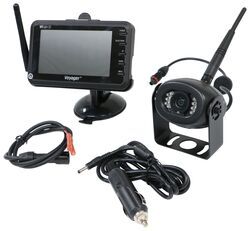
Voyager WiSight 2.0 Wireless RV Backup Camera System w/ Night Vision - Rear Mount - 4.3" Screen

- RV Camera System
- Backup Camera
- Built-In Microphone
- Mirrored Image
- Night Vision
- Waterproof
- Wireless
- Wide View
- Suction Cup Mount
- Rear
- 4.3 Inch Display
- 1 Camera
- Voyager
more information >

Continue Researching
- Search Results: rv camera system
- Search Results: backup camera
- Shop: Voyager WiSight 2.0 Wireless RV Backup Camera System w/ Night Vision - Rear Mount - 4.3" Screen
- Shop: 12V PWM Filter for RV Backup Camera Systems - Hardwire
- Video: How to Set Up Your 12V PWM Filter for RV Backup Camera Systems on a 2020 Taxa Mantis Travel Trailer
- Video: Setting up the 12V PWM Filter for RV Backup Camera Systems on a 2021 Thor Coleman Motorhome
- Q&A: Recommended Sway Bars and SumoSprings for a 2026 Ford E-450 Chassis
- Q&A: Trouble Pairing Camera and Monitor on Voyager WiSight Wireless RV Backup Camera System
- Q&A: Direct Replacement for Voyager WVOS43 Camera System
- Q&A: Solution for Replacement Camera for Voyager WVOM43 Monitor
- Q&A: Best Option to Upgrade Old Voyager Camera System With 4.3" Monitor
- Q&A: How Many Hub Savers Do I Need and Where Do They Install?
- Q&A: Can Voyager Wisight 2.0 Camera Replace Wisight of 2018 Airstream Bambi
- Article: Is It Illegal to Leave My Hitch on My Truck?
- Article: Redarc Tow-Pro Elite Full Review
- Article: 30-Amp and 50-Amp RV Service: What's the Difference?
- Article: Trailer Lighting Requirements
- Article: Our Team Picked The Best Camping Gear of the Year - Here Are Their Top Choices
- Article: Installing an Electric Brake Controller on 2007-2013 GM Full-Size Truck or 2007-Present GM SUV
- Article: Wiring Trailer Lights with a 7-Way Plug (It's Easier Than You Think)
Rob W.
7/10/2026
Unit has worked very well. Only comment is the screen is somewhat small which requires it to be mounted close. Otherwise I recommend it highly.