


Troubleshooting Right Trailer Brake Always on with Curt Wiring on a 2006 Dodge Sprinter
Updated 04/15/2025 | Published 04/02/2025
Question:
I installed the nice powered control box on my sprinter van everything was going great but then I started using it and the right brake light stays on, like even when I am stopped. I had to pull the fuse to turn it off. The left still works running lights brake and turn so I checked to make sure I did not short any wires. Nothing then checked to make sure it was not in the trailer wires and nope then I rewired from the right side the light and it still stays on. Is this a blown box? Did I get a blown one?? I forgot to take photos and I had to wire up just brakes and running lights to get home. I will try to replicate when I am home.
asked by: Steve T
Expert Reply:
Hey Steve, thanks for reaching out and for your purchase of the Curt Wiring # C59236.
It's always possible that the black module box is faulty, but what I recommend doing is making sure the green wire is spliced to a circuit that only gets hot when the right turn signal is used. If you have a combined lighting system then it will need to get hot when the brake is used as well.
Then you can double check that on the output green wire from the module.
If everything looks fine going into the box, but then it messed up coming out of the box, the module is faulty and you'll want to look at a warranty.
Let me know what you find!


Product Page this Question was Asked From
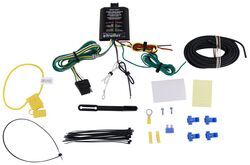
Curt Powered Tail Light Converter with 4-Pole Flat Trailer Connector

- Custom Fit Vehicle Wiring
- Trailer Hitch Wiring
- Vehicle End Connector
- Powered Converter
- Universal Fit
- 4 Flat
- Plug and Lead
- Splice-In
- CURT
more information >
Featured Help Information
Instructions

Continue Researching
- Article: Brake Controller 7- and 4-Way Installation Kit (ETBC7)
- Article: Trailer Wiring Diagrams
- Q&A: What is the Difference Between a Class II and a Class III Hitch?
- Q&A: Recommended Hitch and Trailer Wiring for a 2026 Toyota RAV4 Hybrid
- Q&A: What is the Difference Between a 4-Way and 7-Way Trailer Connector
- Article: Wiring Trailer Lights with a 7-Way Plug (It's Easier Than You Think)
- Article: How to Choose the Right Trailer Hitch Class
- Article: Wiring Trailer Lights with a 4-Way Plug (It's Easier Than You Think)
- Article: How to Measure for Trailer Hitch Drop
- Article: My Trailer Hitch Doesn't Fit
- Q&A: Trailer Hitch and Wiring for 2027 Kia Telluride
- Q&A: Is There a Trailer Hitch that Fits 2026 Toyota RAV4 Hybrid
- Q&A: Will Curt Hitch Fit 2026 Hyundai Santa Fe Hybrid
- Q&A: What Hitch and Wiring Will Fit My 2026 Subaru Outback Wilderness?
Steve B.
4/12/2025
Ok I was driving when this happened. Then when I turned the auto off it stayed on. This draining the battery. So I tried to see if it was a wire thing . It was working perfectly for a day. Then it stayed on all the time even after I shut off power to the vehicle. I thought maybe it was a time thing so I walked away came back and it was still on. I was in transit so I did a quick bypass of the entire thing and took out the fuse to shut it off. Later I took it all out and when I checked it it was still doing it. So I guess I am in warranty? Now how do I do that. Thanks steve