


Troubleshooting Communication Error Message With Flashpaq F5 on 2017 Chevy Silverado 1500
Updated 02/14/2024 | Published 02/13/2024
Question:
hi i bought a flashpaq f5 tuner and its not communicating with my truck i have a 2017 silverado 1500 it tells me to switch to on and then to off but then it says communication error please help
asked by: Efren Z
Expert Reply:
The troubleshooting you looked at for your # SU2847 also applies to the communication error you're getting with your 2017 Silverado. Check the wires going back to the OBD-II port to see if there is anything spliced to the purple wire. If you find something go ahead and remove it then check to see if the error is gone.
If you still have it, check to see if the sound of the door chime is coming from behind the stereo instead of from the speakers. If it is, pull the stereo and disconnect the chime box. This will allow the tuner to communicate with your truck. If you still have the error I would contact Superchips directly so they can help you actively troubleshoot while you're standing at the vehicle.


Product Page this Question was Asked From
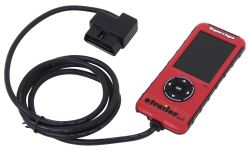
Superchips Flashpaq F5 Performance Tuner - GM - Gas

- Performance Chip
- Performance Tuners
- With Monitor
- Color Screen
- No - Not California Approved
- Flashpaq F5
- Superchips
more information >
Featured Help Information
Miscellaneous Media


Continue Researching
- Q&A: Troubleshooting Superchips Performance Tuner Not Communicating with GMC Sierra
- Q&A: Troubleshooting SuperChips Flashpaq on 2008 Chevy Tahoe Sending Communication Error Message
- Article: How to Measure for Trailer Hitch Drop
- Q&A: Recommended Tuner for Improving Gas Mileage on 2017 GMC Sierra 2500 6.0L
- Q&A: Recommended Performance Tuner for 2018 Chevrolet Silverado 2500HD 6.0L
- Q&A: Programmer for 2018 GMC Sierra 1500 6.2 liter that Can Disable AFM
- Q&A: Is Just the Shank Available for the Curt Adjustable 2-Ball Channel Mount 45926
- Q&A: Best Tuner to Use when Towing with a 2018 Chevy Silverado 155 with a 5.3L Engine