


Pairing Happijac Remote to Reciever
Updated 07/15/2024 | Published 10/23/2023
Products Featured in This Question

Question:
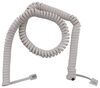
I have a happijac 723914 25A control module that I need to pair with a replacement 723915 remote transmitter. I have the link cable and was wondering what is the process for pairing the two? Simply plugging in with the link cable and resetting using the transmitter has not reestablished working communications but the module status light is green. Thanks.
asked by: Robert R
Expert Reply:
Having the replacement cable # LC149557 between the # LC723915 and the 723914 and then doing a reset is all that is required to sync the two.
You must use the phone cord to connect the remote to the receiver either directly or through a remote plug in provided by your manufacture. In a 2022 Lance 1062 that is by the entry door on the wall lower left.
once plugged in you Simultaneously press and release the all up and Down buttons (5&6) on the remote. The green light on the remote should turn on.
Then press button 8, Five times.
Then press button 0, Five times.
Then Simultaneously press and release the "ACC IN and Out" buttons once.
Disconnect the cord. The remote should now work


Product Page this Question was Asked From
Replacement Remote Control for Wireless HappiJac Electric Truck Camper Jack Systems - 25 Amp


- Accessories and Parts
- Camper Jacks
- Trailer Jack
- Controllers
- Remote Control
- HappiJac
more information >
Featured Help Information
Instructions

Continue Researching
- Search Results: generator
- Search Results: suspension enhancement
- Search Results: air bag compressor kit
- Search Results: slide out manual crank
- Search Results: empire faucet
- Search Results: torklift a7200
- Shop: Trailer Hitch
- Shop: TorkLift SuperHitch Magnum Trailer Hitch Receiver - Custom Fit - Class V - 2-1/2" and 2"
- Shop: Pacbrake BRAVO Wireless Air Control w/ Remote - Quick Mount - XD Compressor - 150 psi
- Shop: Hitcholder In-Bed Storage Bracket for Trailer Hitch Ball Mounts - 2" Receiver
- Search Results: recpro
- Shop: Replacement Remote Cable for HappiJac Electric Truck Camper Jack Systems - White
- Shop: Replacement Remote Control for Wireless HappiJac Electric Truck Camper Jack Systems - 25 Amp
- Video: Replacement Remote Control for HappiJac Electric Camper Jack Systems Review
- Shop: Furrion RV Refrigerator w/ Freezer Drawer - French Doors - 12 cu ft - 12V - Black
- Shop: B&B RV Outdoor Shower Box - 11" Wide x 6" Tall - Black
- Q&A: Recommended Air Bag Helper Springs For a 2024 GMC Sierra 3500 Dually Diesel
- Q&A: What is the Difference Between the AirLift Wireless Compressor Systems 73000EZ & 74000EZ
- Q&A: Can App be Used with Air Lift WirelessAIR Upgrade Kit AL87DQ
- Q&A: Air Lift LoadLifter 7500 XL Air Helper Springs and Compressor for 2022 GMC Sierra 3500
- Video: A Closer Look at the Hydrastar Marine Electric Over Hydraulic Actuator for Disc Brakes
- Video: Installling the Hydrastar Electric Over Hydraulic Actuator on a 2018 Keystone Cougar Half-Ton Travel
- Q&A: Looking for Replacement Remote for Happijac Setup of Palomino Winter Creek
- Shop: Fifth Wheel Hitch
- Q&A: How to Sync the Remote and the Replacement Circuit Board for HappiJac Electric Truck Camper Jacks
- Q&A: Replacement Remote Compatible with HappiJac Circuit Boards w/ 25 amp Fuse
- Video: MORryde RV Sewer Hoses Snap Trap P-Trap Details
- Shop: Camper Tie-Downs
- Video: Review of Firman Generators - 10000 Watt Portable Gas Generator - FIR73VR
- Shop: Suspension Enhancement
Pairing O.
7/15/2024
Your answer is incorrect. From Lippert. You must use the phone cord to connect the remote to the receiver either directly or through a remote plug in provided by your manufacture. in my 2022 Lance 1062 that is by the entry door on the wall lower left. once plugged in you Simultaneously press and release the all up and Down buttons (5&6) on the remote. The green light on the remote should turn on. Then press button 8, Five times. Then press button 0, Five times. Then Simultaneously press and release the "ACC IN and Out" buttons once. Disconnect the cord. The remote should now work