


How to Adjust Balance on Jensen Mechless RV Stereo
Published 10/11/2023
Question:
would like to know how to set balance on the speakers please.
asked by: Harvey
0
Expert Reply:
To access the audio adjustment menu on the # JWM20 you need to start by pressing and holding the Zone A button. You will then press the Zone A button repeatedly to cycle through the options until you get to Balance. Use the skip forward and skip backward arrows to the right of the display to make balance adjustments. This adjusts from L7 which is all the way left to R7 for all the way right. BAL 0 indicates an equal balance between the two speakers.
expert reply by:
Robin H

0

Product Page this Question was Asked From
Jensen Mechless RV Stereo - Single/Double DIN - Bluetooth, HDMI, USB - 24W - 2 Zones - 12V
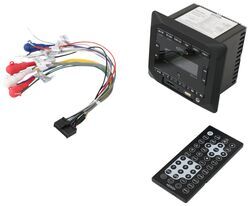

- RV Stereos
- In-Cab Stereo
- Multimedia System
- 24 Watts
- 12V
- Double DIN
- Single DIN
- Bluetooth Compatible
- 4W x 3-3/4T x 2-15/16D Inch
- AM/FM
- HDMI
- Speaker Output
- USB
- Jensen
more information >
Featured Help Information
Instructions
Miscellaneous Media


Continue Researching
- Q&A: Is The Jensen Stereo JEN43YR Exclusive To etrailer?
- Q&A: Replacement for Dometic AC On 2009 Monaco Dynasty Regal IV
- Q&A: Replacement For Dometic AC 59516.331
- Q&A: Best Replacement AC for Dometic Duo Therm 57915.531
- Q&A: What Heat Strip Works With The Advent Air RV Air Conditioner System ADV99QR
- Q&A: Can Advent Air RV AC Unit Thermostat Control Furnace
- Q&A: Replacement Stereo for an Existing Jensen JWM6A
- Article: How Much Solar Power Do I Need For My RV?
- Article: RV AC Not Cooling? What's Normal, What to Check, and When to Replace
- Article: How to Measure for Trailer Hitch Drop
- Article: What Size Generator Do You Need to Run an RV Air Conditioner?
- Article: 4 Common Myths About RV Solar Power
- Article: How to Troubleshoot Your RV Air Conditioner
- Article: Trailer Wiring Diagrams