


Removing Trim Piece On Furrion Microwave Models FMSN09BL & FMSN09MG
Updated 06/03/2025 | Published 01/24/2021
Products Featured in This Question
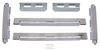
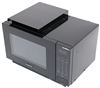
Question:
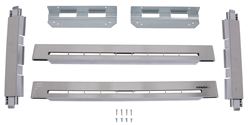
Trim Kit for Furrion Standard Microwave - Stainless Steel Item # FMSM09SSTK Are there any instructions for how to remove it? Microwave needs to be replaced.
asked by: Steve F
Helpful Expert Reply:

The trim kit # FMSM09SSTK for this microwave # FMSN09BL is assembled before it is put on the microwave. To install you take the fully assembled trim, line it up and apply pressure until it snaps into place. Take a small flathead screwdriver and slide it between the trim and the microwave to release the trim. Then, work your way around until the whole piece slides off.
Part # FMSN09BL is the perfect replacements for your current microwave.



Product Page this Question was Asked From
Trim Kit for Furrion Standard Microwave - Stainless Steel

- Accessories and Parts
- RV Microwave
- Trim Kit
- Stainless Steel
- Furrion
more information >
Featured Help Information
Miscellaneous Media


Continue Researching
- Shop: Furrion Built-In RV Microwave - 900 Watts - 0.9 Cu Ft - Black
- Search Results: furrion rv microwaves
- Search Results: towing mirrors
- Search Results: 3 cameras rv camera system
- Search Results: pressure regulator
- Shop: Towing Mirrors
- Shop: Replacement Stainless Steel Trim for Furrion Over-the-Range RV Microwave
- Shop: Trim Kit for Furrion Standard Microwave - Stainless Steel
- Search Results: rv awnings fabric
- Search Results: v000431847
- Search Results: rv awnings
- Shop: Furrion Built-In RV Convection Microwave and Air Fryer - 900 Watts - 0.9 Cu Ft - Black
- Video: Review of the Trim Kit for Furrion Standard Microwave
- Shop: Furrion Over the Range RV Convection Microwave - 900 Watts - 1.5 Cu Ft - Stainless Steel
- Q&A: Differences Between the Furrion Built-In RV Convection Microwaves FR82TD, FR77AD & FMSN09BL
- Q&A: Troubleshooting Furrion Microwave FMSN09BL That Flashes/Beeps When Not Connected to Shore Power
- Q&A: Are Replacement Control Panels Available For Furrion RV Microwaves
- Shop: Longview Custom Towing Mirrors - Slip On - Driver and Passenger Side
- Q&A: How To Remove Trim Kit For Furrion Standard Microwave
- Q&A: How To Remove Trim From Furrion RV Microwave On a Riverside Retro 135 RV
- Video: All About the Longview Custom Towing Mirrors
- Shop: Longview Custom Towing Mirrors - Slip On - Driver and Passenger Side
- Q&A: Recommended Replacement For A 0.9 cu ft Furrion RV Microwave
- Shop: RV Mattress
- Q&A: Does The Furrion RV Microwave # FMSN09BL Come with A Range Vent And Light
- Video: A Closer Look at the Furrion Over the Range RV Convection Microwave in a 2025 Forest River XLR Boost
- Video: Review of Furrion Replacement Stainless Steel Trim Over The Range RV Microwave - FR47VD
- Video: Feature Breakdown: LED Porch Light for RVs
- Video: Hands-On with the Mount-n-Lock SafetyStruts Standard RV Bumper Support Brackets
- Shop: Brake Controller
Bill M.
6/2/2025
I need help to remove the trim on my furron microwave. The trim kit is no FMSM09SSTK l read your instructions but still kind of lost