


Replacement Awning Speaker Heads for Solera Awnings
Updated 10/09/2020 | Published 10/07/2020
Products Featured in This Question
Question:
I am not getting any sound out of the awning speakers. How do I check them and/or replace them.
asked by: R M
Expert Reply:
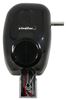
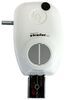
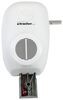
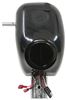
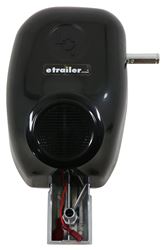
If you have a Solera awning on your trailer, you can check the connections at the bottom of the speaker awning head, which will be the two pieces at the bottom of the head in the accompanying photo. If they are not working you can replace them with the following, depending on the color you need:
- Drive Head: Solera Power Awning Speaker Drive Head - White # LC342147 or Black # LC342149
- Idler Head: Solera Power Awning Speaker Idler Head - White # LC342148 or Black # LC342150



Product Page this Question was Asked From
Replacement Idler Head for Solera Power RV Awnings with Built-in Speakers - Plain Style - Black

- Accessories and Parts
- RV Awning
- Head Parts
- Speaker Head
- Head Assembly - Power
- Solera Replacement
- Drive Head
- Black
- Lippert
more information >
Featured Help Information
Instructions
Miscellaneous Media

Continue Researching
- Q&A: Looking for Replacement RV Awning Head Covers
- Q&A: What is the Diameter of the Solera Awning Rollbar Tube
- Q&A: Correct Replacement for Solera RV Awning V000251669
- Q&A: What Lippert Lead Leg and follow Leg do I Need for My Gen 2 Level Up Hydraulic Leveling System?
- Q&A: How Do I Know If My Solera Awning Is Plain Or Regal Style?
- Q&A: Replacement Plain Drive Head Front and Rear Covers for a Solera 2000 Series 12V Power Awning
- Q&A: Replacement Head Pin For Solera Power Awnings
- Article: How to Install an RV Awning From Scratch
- Article: How to Replace a Rubber RV Roof
- Article: Trailer Wiring Diagrams
- Article: Hitch Mounted Cargo Carrier Information
- Article: Breakaway Kit Installation for Single and Dual Brake Axle Trailers