


How To Set Quad Mode As Default On Furrion Vision S Wireless RV Backup Camera System
Updated 12/30/2019 | Published 12/29/2019
Products Featured in This Question
Question:
How can I make my Furrion vision s camera stay in quad default. I want to be able to see all 4 cameras at once, without it bouncing to each camera individually
asked by: Hannah
Expert Reply:
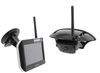
There are different versions of the Furrion Vision S Wireless RV Backup Camera System part # FOS05TASF. If the unit was made between August 2018 and January 2019 then there is no default quad model. However, if the unit was made outside of the dates above then you can use a default quad mode by navigating through the menu settings on the monitor and then selecting quad mode as the default.
In order to see when your unit was made, you need to look at the serial number on the back of the monitor. There should be a long set of digits with two hyphens. The numbers in between the two hyphens have the date the unit was manufactured. For example, if the unit was made January 1st, 2019 it would show 01012019.
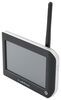
Monitors are sold seperatley with part number # FR97FR.


Product Page this Question was Asked From
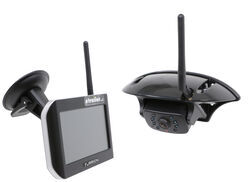
Furrion Vision S Wireless RV Backup Camera System w/ Night Vision - Rear Mount - 5" Screen

- RV Camera System
- Backup Camera
- Observation Camera
- Anti-Glare
- Mirrored Image
- Motion Detecting
- Night Vision
- Touch Screen
- Waterproof
- Pre-Wired RVs
- Wireless
- Wide View
- Dashboard Mounting Bracket
- Suction Cup Mount
- Side Marker
- 5 Inch Display
- 3 Cameras
- Furrion
more information >
Featured Help Information
Instructions

Continue Researching
- Q&A: Backup Camera for 2025 Forest River Rockwood Mini Lite 2205S
- Q&A: Can I Use The B&W Tow & Stow 2-Ball Mount BWTS20037B If My Camper's Dry Weight is 7600lbs
- Q&A: How to Power the Furrion Vision S+ Cameras to Work in Security Mode
- Q&A: Is There Furrion Vision S+ Observation System that Doesn't Have Side Cameras
- Q&A: What is Best RV Backup Camera System
- Q&A: Availability Of Replacement Camera For Furrion Vision S Camera System
- Q&A: How Do I Mount the Back Up Camera for the Furrion Vision S+?
- Article: Trailer Wiring Diagrams
- Article: Holiday 2025 | RVers’ Favorite Gear & Road Picks
- Article: 30-Amp and 50-Amp RV Service: What's the Difference?
- Article: How to Measure for Travel Trailer and Fifth Wheel Steps
- Article: Brake Controller 7- and 4-Way Installation Kit (ETBC7)
- Article: How to Install a Brake Controller on Chevrolet / GMC 1999-2006 Pickups
- Article: Wiring Trailer Lights with a 4-Way Plug (It's Easier Than You Think)