


Selecting Transmission Fluid Temperature Gauge from Display of Edge CS2 Programmer
Updated 03/04/2019 | Published 03/03/2019
Question:
I can figure out how to put the transmission temperature gauge on edge 83530 is there any way that you could help?
asked by: Garrett
Helpful Expert Reply:

Here are the instructions for selecting a new PID like transmission fluid temperature with the Edge CS2 # EP85350 that you referenced.
Step 1: While viewing a gauge layout screen, press the Enter button. A gauge location will be highlighted.
Step 2: Use the arrow buttons to highlight the gauge location that you would like to modify.
Step 3: Highlight the Select New PID option. Then press Enter.
Step 4: Use the Up/Down arrow buttons to highlight a new PID, then press Enter.
Step 5: Select each of the remaining options to further customize your gauge.
Step 6: Return to the main gauge screen. The new PID will be displayed.


Product Page this Question was Asked From
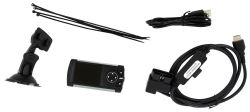
Edge Gas Evolution CS2 Performance Tuner- Color Screen

- Performance Chip
- Performance Tuners
- Tuner Only
- Color Screen
- No - Not California Approved
- Evolution
- Edge
more information >
Featured Help Information
Instructions

Continue Researching
- Q&A: How to Increase Towing Power in 2003 Chevrolet Avalanche 1500 with 5.3L V8 Towing 7600-lb Trailer
- Article: Converting Your RV Water Heater to Tankless
- Article: Most Popular Wheel Bearings
- Q&A: How to Use Furnace With Furrion Chill Cube on 2017 Keystone Cougar 327RES
- Q&A: Replacement Motor for Fan-tastic 8100TR
- Q&A: Wiring Instructions For A Dometic RV Water Heater Single-Panel Control Switch
- Q&A: Horsepower Gains for 2014 Chevy Silverado 5.3L with Programmer, Cold Air Intake, and Exhaust Mods
- Q&A: Will Edge CTS3 Programmer Fit 2011 Chevy Silverado with 6.0 and Basic Bolt Ons
- Q&A: I Have Replaced Parts Before With No Issue, Why Is My Superchips Flashpaq F5 Not Working Right Now
- Article: Performance Chips and Modules
- Article: 5 Things to Know About Weight Distribution Hitches