


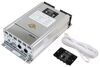
You're checking a Victron system in your van and switching between apps. This 7" touchscreen connects to a Cerbo GX to show and control the whole system in one place with a single cable, so you can read and adjust it at a glance.
Checking separate apps or device-level screens slows you down when you're trying to see what the system is doing right now. The GX Touch 70 puts system overview and control into one 7" touchscreen that connects directly to the Cerbo GX (sold separately), so your monitoring and settings live in one fixed place instead of being scattered across different interfaces. You get a clear, real-time view of the energy system on a 1024 x 600 display, which gives you a single point to check status and respond on the spot.
Reaching for a phone or remote tool isn't always practical when you're standing at the system and need to check it immediately. This display gives you direct on-site access through a dedicated touchscreen interface, so the controls stay where the equipment is instead of depending on an external device. Because it works as a fixed display accessory for the Cerbo GX and mounts right into a dashboard, system data and settings are right there when you walk up to it.
Displays lose their appeal fast when the wiring turns into its own project. The GX Touch 70 connects to the Cerbo GX with a single cable, cutting down on routing complexity and keeping the install more straightforward from the start. That 6-9/16' (2 meters) cable length gives you a defined placement range for planning the layout, and the end result is a cleaner dashboard setup with less clutter behind the panel.
A display that sticks out awkwardly or forces one mounting style can look like an afterthought once the install is done. This unit supports top mount, flush, or embossed installation, so you can match the display to the panel layout instead of working around a single mounting format. With its slim design and 1/2" depth, it sits more naturally in a dashboard and leaves you with an interface that looks integrated instead of tacked on.
A fixed touchscreen has to keep working in places where dust, water, and sunlight are part of the routine. The GX Touch 70 carries an IP54 rating, and it's compatible with a protection cover for shielding the display from water, dust, and UV exposure. That gives you a more durable on-site interface that stays usable in real-world conditions instead of feeling too exposed for regular system checks.

Videos are provided as a guide only. Refer to manufacturer installation instructions and specs for complete information.
Hi, everybody. Andy here with etrailer. Let's take a quick look at this Victron GX 70 7-inch touchscreen display for your Cerbo GX communication center. This display is going to be the control center for your whole system. It's an all in one. It's a all-in-one place really.
This uses a 7-inch touch screen that's going to connect to a Cerbo GX, which is sold separately, and once it's hooked up, you're gonna be able to see and manage everything from a single screen instead of jumping between devices or apps. Now, what makes this really convenient is that it's a fixed onsite interface. It's going to connect directly with a cable and you're not gonna need your phone or any external devices to check your system. It's always gonna be right there where your setup is installed. The screen itself is going to be clear and easy to read with a 1024 by 600 resolution.
So you're gonna get real time system data laid out in a way that's gonna be actually useful and not cluttered. The length of our cable here is gonna be about six feet, seven inches long, and going over some measurements here of the panel itself, we're looking right at seven inches as we mentioned. And then looking at the height, about 4 1/2 inches, and it's about half an inch deep or so. Installation is gonna be pretty straightforward as well. Again, you're gonna use this cable to connect it to your Cerbo GX.
It's gonna keep the wiring simple and avoid a mess of extra connections. You're also going to get some flexibility in regards to how you wanna mount this. You can install it on top, flush with the surface, or in an embedded style, depending on how clean or integrated you want the final look to be. And this is built for real-world conditions with an IP54 rating and the option to use this protective cover, as you can see right here. So this is designed to resist dust, splashes and even UV exposure so it's gonna hold up well in installed environments.
Now, if you have any questions about this, don't hesitate to reach out. We, of course, wanna make sure that you're getting exactly what you need. If you want any help with installation, we have you covered on that front, as well. On this product page underneath the photo section, we have a link that's will take you to our installer locator. Answer the questions that that locator has for you, and it will find an installer in your area that etrailer has partnered with to do the installation for you. Well, again, my name's Andy. Thank you for joining me.
Ratings & Reviews

Info for this part was:
At etrailer we provide the best information available about the products we sell. We take the quality of our information seriously so that you can get the right part the first time. Let us know if anything is missing or if you have any questions.











Thank you! Your comment has been submitted successfully. You should be able to view your question/comment here within a few days.
Error submitting comment. Please try again momentarily.