bing tracking image
  1. Smart RV
  2. Go Power
  3. Management System
  4. Monitoring System
  5. Batteries
  6. Electric Steps
  7. Inverter
  8. Lights
  9. Refrigerators
  10. Televisions
  11. Water Pumps
  12. Water Tanks
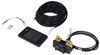
Go Power PowerTrak Screen - Touchscreen RV Control Panel - Auto-Dimming - Multi-Orientation
Go Power

Go Power PowerTrak Screen - Touchscreen RV Control Panel - Auto-Dimming - Multi-Orientation

Part Number: GP64XR
In Stock
$123.99
Retail:$155.00
You Save: $31.01
Smart RV
zoom in icon
slider vertical icon
zoom out icon
Comment field cannot be left empty.
Name field cannot be left empty.
By submitting this form, you understand and agree to our Terms of Sale, Website Terms of Use and Privacy Policy.

Thank you! Your comment has been submitted successfully. You should be able to view your question/comment here within a few days.

Error submitting comment. Please try again momentarily.

Product Images

Videos

Need help with installation?
Locate installers near me
One touch brings your RV's controls together. The color touchscreen auto-dims as daylight changes, so checks are easy at noon or midnight. Mount it the way you prefer and plug in with the included cables for a clean, simple install. Great Prices for the best smart rv from Go Power. Go Power PowerTrak Screen - Touchscreen RV Control Panel - Auto-Dimming - Multi-Orientation part number GP64XR can be ordered online at etrailer.com or call 1-800-940-8924 for expert service.
  • All Info
  • Reviews (3)
  • Q & A (0)
  • Photos

Go Power Smart RV - GP64XR

  • Management System
  • Monitoring System
  • Batteries
  • Electric Steps
  • Inverter
  • Lights
  • Refrigerators
  • Televisions
  • Water Pumps
  • Water Tanks
  • Go Power
  • Digital Display
  • Monitors and Controls

One touch brings your RV's controls together. The color touchscreen auto-dims as daylight changes, so checks are easy at noon or midnight. Mount it the way you prefer and plug in with the included cables for a clean, simple install.


Highlights

  • One Screen For Your System: Check battery percent, solar watts, and inverter status at a glance.
  • Auto Dimming: Built-in light sensor adjusts brightness for day and night.
  • Check It From Your Phone: Works with the Go Power! Connect app for remote monitoring and control.
  • Mounts Vertical Or Horizontal: Choose the orientation that fits your panel layout.
  • Tap To Adjust Settings: View and edit charging parameters and power settings.
  • Plug-In Cables Included: Connects to Go Power! components without extra parts.

Features to know about

One Screen When It Counts

Breaking camp or pulling in after dark, you get a single read on the whole system: battery state of charge, solar watts and voltage, plus inverter ac in, ac out, and dc watts. It is a quick way to spot what is happening, like panels being shaded, no shore power passing through, or a battery temperature that needs attention. The screen dims at night so you can check status without lighting up the cabin.

Set It Here Or From Your Phone

Use the touchscreen to view and adjust the charging parameters your system supports, confirm battery capacity for accurate state-of-charge readings, and check inverter status. Away from the panel, open the Go Power! Connect app to monitor the same metrics and make quick changes from your phone when the system allows it.

Specs

Application:

  • System type: central touchscreen for Go Power! smart power systems
  • Components: monitors and controls solar controllers, inverter or charger, and battery system

Display:

  • Type: color touchscreen
  • Auto dimming: built-in light sensor
  • Orientation: vertical or horizontal mounting

Dimensions:

  • Overall dimensions: 4-3/4" long x 2-13/16" wide x 11/16" thick

Monitoring & Control:

  • Battery: state of charge, dc power, capacity, charging parameters
  • Solar: watts, voltage, charging status
  • Inverter or charger: ac in, ac out, dc watts; temperature readouts where supported

Connectivity:

  • Mobile app: Go Power! Connect
  • Cabling: connectivity cables included for Go Power! integrations


83457 Go Power PowerTrak Screen - Touchscreen RV Control Panel - Auto-Dimming - Multi-Orientation

Replaces GP-PT-DIS-3


Customer Satisfaction Score:

Ratings & Reviews

3.3

3 reviews
Review sort icon
One touch brings your RV's controls together. The color touchscreen auto-dims as daylight changes, so checks are easy at noon or midnight. Mount it the way you prefer and plug in with the included cables for a clean, simple install.

by:


by:


by:

Sales associate up-sold the product and said it was the right remote display for my solar controller. It was $25 more than the one I requested. After much reading and investigating I found she was wrong. I’m returning this one for the correct one.


3
3

See what our Experts say about this Go Power Smart RV

  • Does The Go Power Solar Charge Controller Have A Remote?
    Hey Robert, The Go Power Solar Charge Controller # GP32QR doesn't have a hand held remote, but it does have a touch screen mount # GP64XR that will allow you to control it. Which comes with Bluetooth capability so you would be able to control it from your phone as well. What kind of trailer/RV are you wanting to install this in?
    view full answer...
  • Parts Needed to Connect Go Power PowerTrak Screen, Inverter, and Solar Charge Controller
    Hey Brad! I just went over this with Dometic/Go Power and you will need several wiring harnesses in addition to the # GP74XR you already picked up. To connect the Go Power PowerTrak Screen # GP64XR, Pure Sine Wave Inverter Charger # GP85QR, and MPPT Solar Charge Controller # GP32QR you will need the following: -GP-RVC-PT-TR - RVC Terminating Resistor Harness # GP84XR -GP-RVC-EXT-25 - RVC Extension Harness, 25' (the # GP74XR you have) -GP-RVC-PT-BC - RVC Branch Connection Harness # GP88QR -GP-RVC-BC...
    view full answer...
  • Looking for Monitor for Thermostat, Batteries, Thermostat, Tanks ETC.
    Hey Shane, we don't have a single kit that covers all the things you are looking for but the part # WA74FR only would cover the thermostat portion of what you are looking for so you'd also need the Go Power # GP64XR to cover everything else if that is something you'd be interested in?
    view full answer...
  • What Screen is Compatible with the Go Power MPPT Solar Charge Controller - PowerTrak?
    Hello Chuck, The correct screen for the Go Power MPPT Solar Charge Controller – PowerTrak – 12V and 24V – 30 Amp # GP32QR is the Go Power PowerTrak Screen – Touchscreen RV Control Panel – Auto-Dimming – Multi-Orientation # GP64XR. The Go Power! PowerTrak Screen # GP64XR is a sleek, full-color touchscreen control panel designed to give you complete visibility and control over your RV’s power system. It allows you to monitor real-time data such as battery charge level, solar-panel input,...
    view full answer...
  • Does Go Power PowerTrak Pure Sine Wave Inverters Have Bluetooth Or App Monitoring?
    Laura, yes, Go Power added app monitoring to the new inverters like 1,800w 30A # GP94XR, 3,000w 30A # GP44XR, and 3000w 50A # GP85QR as long as the control panel # GP64XR is also a part of your setup. Once it’s wired in, you can pull up real-time battery voltage, load levels, and error codes on your phone. It’s a nice upgrade compared to older inverters that only had LED status lights. Do you prefer monitoring from inside your rig, or would you use the phone app on the go?
    view full answer...
  • Does Go Power Pure Sine Wave Inverter Charger Include Display
    Hey Richard. welcome back! The Go Power Pure Sine Wave Inverter Charger # GP75QR does not include the display. You will need the Go Power PowerTrak Screen # GP64XR to go with it. You will also need the # GP74XR, # GP84XR, and # GP24XR to make all of your connections. If you plan on adding their solar controller or other parts additional cables may be required. Is this for an off-grid setup?
    view full answer...

Do you have a question about this Smart RV?


Info for this part was:

Employee Wilson B
Updated by:
Wilson B
Employee Michael B
Updated by:
Michael B
Employee Kim H
Updated by:
Kim H
Employee Daron K
Edited by:
Daron K
Employee Alex H
Written by:
Alex H
Employee Andy C
Installed by:
Andy C

At etrailer we provide the best information available about the products we sell. We take the quality of our information seriously so that you can get the right part the first time. Let us know if anything is missing or if you have any questions.