


Why is the Image from the # RVS-MV1 Showing Up Inverted on My Monitor?
Updated 03/28/2022 | Published 03/25/2022
Question:
Just installed part # RVS-MV1 and very happy with picture quality however, the picture is inverted showing the ground at top of picture on camera. Only info that may or may not be helpful to pass along is that it is installed up high and faces downward. He thought maybe a settingsinch issue but didnt think so and thought maybe problem with inner parts/control board or something with the device. Can you offer any help or direction?
asked by: Mike B
Expert Reply:
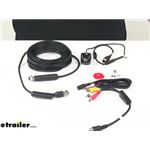
I went ahead and reached out to my tech at RVS, and he confirmed that the most common installation issue with the Rear View Safety Backup Camera # RVS-MV1 is that it is installed "right-side up" instead of "upside down." The # RVS-MV1 is meant to be installed with the camera hanging below the surface as opposed to mounting on top of the surface.
I went ahead and attached a photo of how the camera should install on your vehicle. Please let me know if you are still having problems with the inverted image.


(click to enlarge)

Product Page this Question was Asked From
Rear View Safety Backup Camera


- Accessories and Parts
- Backup Camera
- Backup Camera
- Standard Camera
- Rear View Safety
more information >
Featured Help Information
Instructions
Miscellaneous Media

Continue Researching
- Q&A: Solution for Replacement Seal for 171255UC Oil Seal
- Q&A: Front and Rear Sway Bar Recommendation for 2015 Forest River Forester 3011DS
- Q&A: Exact Size Furnace Replacement Recommendation for Atwood 8531
- Q&A: Recommended Hitch and Tie Downs for a 2005 Dodge Ram 3500 Long Bed Dually
- Q&A: Is there an Adapter to Install the Voyager RV Backup Camera Monitor w/ the AOM7694 Camera?
- Q&A: Compatibility Of The Rear View Safety Color Monitor And Factory Camera Wiring
- Q&A: Can Electric Brake Controller Be Installed on Semi with Air Brakes