


How To Wire Up 4-Pin In/Out LED Rocker Switch
Updated 02/02/2026 | Published 12/23/2020
Products Featured in This Question

Question:
i am wiring this switch into a solenoid with 4 poles 2 for winch +\- and 2 for battery +\-. There are 2 wires that exit the solenoid which im assuming go to the switch. Do the 2 wires running from the universal solenoid get wires into the +\- poles on the 4 pole switch?
asked by: Kurt
Expert Reply:
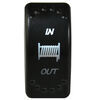
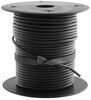
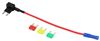
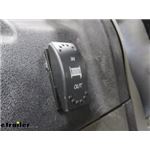
When wiring the In/Out LED Rocker Switch # BDW20261 you will have two pins being your power and ground. Then the bottom two are going to be your in and out pins which will connect to your universal solenoid. For ground, just take a self tapper and connect it to the frame somewhere. The power I would use a fuse tap # F2526 to tap into your ignition fuse in your control panel. Which if you don't already have them, we have spade connectors # DW01899-1 and wiring # 16-1-1 if you needed it.
This way it will only get power when your machine is on. I like this because I know that it will now draw whenever my machine isn't running. When you're stuck, it's recommended to winch out when your machine is running. The last two pins will take the two wires coming from your universal solenoid.
I've included a video for you to watch, Shane goes through the steps we went over here.


Product Page this Question was Asked From
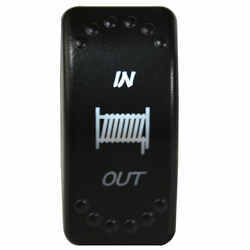
In/Out LED Rocker Switch For Bulldog Winch - 4 Pin - White

- Accessories and Parts
- Electric Winch
- Switches
- Bulldog Winch
more information >
Featured Help Information
Miscellaneous Media

Continue Researching
- Q&A: Replacement Switch Solution For A Superwinch T1500 Winch
- Q&A: Shank Dimensions of B&W Tow & Stow 2-Ball Mount # BWTS10040B
- Q&A: Replacement 3-way In/Off/Out Switch for the Dutton-Lainson Strong Arm Winch
- Article: Trailer Wiring Diagrams
- Q&A: Parts Needed To Convert Electric Over Hydraulic To Electric Brakes On Dexter 15,000LB Axle
- Q&A: Replacement for a TDE LP8500 Boat Trailer Acuator
- Article: Aftermarket Brake Control Wiring for 07-13 GM Full-Size Truck with Factory-Integrated Brake Control
- Q&A: Does Replacement Bulldog Relay Switch # BDW20174 Include Up/Down Buttons
- Q&A: Will the JR Products 37213845 Switch Fit in the Bulldog Winch BDW20264 Switch Mounting Panel
Jwc
2/1/2026
I have the same scenario as Kurt. What's the best way to splice into the two wires running from the universal solenoid? I'd like to keep my current remote control wired and also add the rocker switch. Is it possible to share the video you mention in your reply to Kurt?