


What in the World is the M1 Button on an Air Lift WirelessAIR Compressor System
Updated 02/03/2020 | Published 02/02/2020
Question:
What is the M1 button
asked by: David
0
Expert Reply:
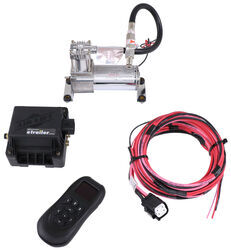
The M1 button on the remote of the Air Lift WirelessAIR Compressor System for Air Helper Springs # AL74000 simply controls one of the two presets that you can set for your compressor system.
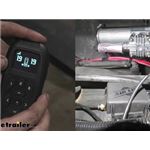
I have added a photo showing where the button is on the front of the controller for you, and have also added links to a couple video reviews to check out.
expert reply by:
Kyle S

0

click to enlarge
Product Page this Question was Asked From
Air Lift WirelessAIR Compressor System for Air Helper Springs - Remote - Bluetooth

- Air Bag Compressor Kit
- Smartphone App
- Wireless Remote
- Dual Path
- Digital Display
- No Tank
- Standard Duty
- Air Lift
more information >
Featured Help Information
Instructions
Miscellaneous Media

Continue Researching
- Q&A: Firestone or Air Lift 7500 Air Spring Kit for 2019 Ford F-450
- Q&A: Finding Air Bag Kit Installer for 2025 Chevy Silverado 3500
- Article: Best Air Bag Suspension 2025
- Q&A: What is Minimum and Max of MORryde I-Beam Stabilizer Height
- Q&A: Should Air Lift WirelessONE Compressor Kick On When Truck Is Sitting With Everything Off?
- Q&A: Difference Between The Less Expensive AND More Expensive Air Lift Compressor Kits
- Article: Choosing the Right Suspension Kit for Your Truck and Trailer
- Article: Should You Add an Air Compressor to Your Air Bags?
- Q&A: Should I Get Loadlifter 5000 Or 7500 For Towing A 15K Fifth Wheel
- Q&A: Recommended Air Bags for a 2026 Ford F-350 4WD Dually
- Article: 4 Steps to Choosing Your 5th Wheel Pin Box
- Article: Stability Control for Heavy Duty Vehicles
- Article: Brake Controller 7- and 4-Way Installation Kit (ETBC7)
- Article: 30-Amp and 50-Amp RV Service: What's the Difference?