


How to Remove or Disconnect the Backup Camera on a 2013 Ford F-250
Updated 05/22/2017 | Published 05/19/2017
Question:
NONE OF YOUR INSTALLATION VIDEOS SHOW WHAT TO DO WHEN I TAKE MY TAILGATE OFF THAT HAS A FACTORY CAMERA INSTALLED UNDER THE FORD EMBLEM. AM I MISSING SOMETHING HERE?
asked by: SCOTT
Expert Reply:
Stromberg-Carlson 5th wheel tail gate # VG-97-4000 does not have provisions to remount the factory back up camera on a 2013 Ford F-250 so it will have to be removed to use this particular tail gate. To remove it there are a couple of methods depending on the location of the camera.
For a camera that is integrated into the tail gate handle:
First, lower the factory Ford tailgate and remove (8) T-30 Torx tailgate cover bolts then remove the tailgate cover.
Next, remove the camera/handle assembly by removing the two 11mm handle retaining nuts. Disconnect the camera connector from the secondary camera wiring harness by depressing the connector latch and gently pulling the connector halves apart.
Remove the camera secondary wiring harness cable by pulling the harness retainer, located at the mid-bottom of the tailgate, from its hole. Remove the license plate, or from under the rear of the pickup, locate the camera connector on the camera secondary harness, and disconnect it by depressing the connector latch and pulling the connector halves apart.
Remove the camera from the handle assembly by prying the push nuts off the two camera retaining
studs. It is very difficult to remove the push nuts without breaking off the studs. Lift the camera free of the handle assembly.
For a camera integrated into the Ford emblem:
First, Slice a screw driver blade between the Ford emblem and the emblem/camera lower housing and gently pull the emblem to separate it from the housing. (The emblem cannot be removed without breaking the retaining tabs that are on the back side of the emblem.)
Remove two 7mm bolts and separate the emblem/camera lower bracket from the tailgate. Depress the connector latch on the camera/harness connector and pull the harness from the camera.
Locate the harness retainer at the mid lower part of the tailgate between the tailgate and the pickup
box. Remove the retainer from its hole. From under the rear of the pickup locate the camera harness connector and disconnect it by depressing the connector latch and pull the connector halves apart. Remove the harness from the tailgate and the pickup box.
Remove three T-25 Torx screws and separate the camera/bracket assembly from the lower housing.
Gently push the larger snap retainer on the camera bracket with a screw driver to separate the camera from the camera bracket.


Product Page this Question was Asked From
Stromberg Carlson 4000 Series 5th Wheel Louvered Tailgate with Lock for Ford Trucks
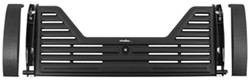

- 5th Wheel Tailgate
- Ford
- With Lock
- Louvered Tailgate
- Plastic
- Stromberg Carlson
more information >
Featured Help Information
Instructions

Continue Researching
- Video: Review of Dometic RV Vents and Fans - Replacement Dome Lock Kit - DMC56QQ
- Shop: Replacement Dome Lock Kit for Dometic Fan-Tastic Vent RV Roof Vents
- Shop: Redarc Plug-and-Play Wiring Harness for Tow-Pro Trailer Brake Controllers
- Q&A: Replacement Air Conditioner Set Up that Works with In-Command Control System
- Q&A: Fifth Wheel Tailgate With Camera Relocation Kit For Ford F-350 Super Duty
- Q&A: Replacement Brake And Hub/Drum Assemblies For A Dexter 5957430 Trailer Axle
- Q&A: Can Backup Camera be Used With Stromberg Carlson 4000 5th Wheel Tailgate on 2017 Ford F-250?
- Q&A: Can Item # SSR-101-47-2 Be Installed With A B&W Goose Neck Hitch On A 1999 Ford F-350
- Q&A: Which SumoSprings Suspension Enhancement for 2000 Ford F-250
- Q&A: Can I Swap My Coleman Mach Q 15 to the Furrion Chill with an Adapter, or do I Need a New Set-up?
- Article: Stability Control for Heavy Duty Vehicles
- Article: Our Team Picked The Best Camping Gear of the Year - Here Are Their Top Choices
- Article: Trailer Wiring Diagrams
- Article: Choosing the Right Suspension Kit for Your Truck and Trailer
- Article: Can You Flat Tow a Ford Bronco?
- Article: Wiring Trailer Lights with a 6-Way Plug (It's Easier Than You Think)
- Article: 4 Steps to Choosing Your 5th Wheel Pin Box