


How To Replace Tilt Pull Handle for Saris Bones Hitch Bike Rack SA25645
Updated 05/08/2026 | Published 05/06/2026
Products Featured in This Question
Question:
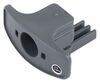
Replacement Tilt Pull Handle for Saris Bones Hitch Bike Rack Part Number: SA25645 I ordered the saris part above. Im not sure how to install it. Any chance you can help with that? Ive checked YouTube for a video, but all I can come up with is your video of the specs. Appreciate your time!
asked by: Jordan D
Expert Reply:
Hello Jordan, thanks for reaching out. We don't have a video showing installation of the Replacement Tilt Pull Handle for Saris Bones Hitch Bike Rack # SA25645, but I can provide some general instructions for you.
1. Tilt the rack down so you can access the release mechanism.
2. Remove any remaining broken pieces of the old handle.
3. Line up the tab on the new handle with the slot in the tilt release.
4. Push it firmly into place until it snaps in.
5. Test the tilt function a few times to make sure it fully engages and springs back correctly.
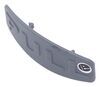
The handle is basically just the pull tab that activates the internal tilt latch, so installation is more “snap-in replacement” than an actual repair job. If your plastic cover is also damaged, we sell that separately as part # SA25646.
I hope this helps. Let me know how it goes.


(click to enlarge)
Product Page this Question was Asked From
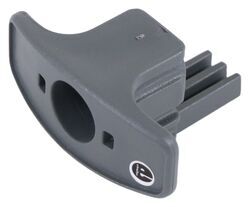
Replacement Tilt Pull Handle for Saris Bones Hitch Bike Rack

- Accessories and Parts
- Hitch Bike Racks
- Handles
- Covers
- Bones
- Saris
more information >
