


Troubleshooting Jensen RV Stereo that Stopped Working In Jayco Gray Hawk
Updated 08/18/2025 | Published 07/26/2025
Products Featured in This Question
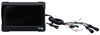
Question:
I have a 2017 Jayco gray hawk with a 2016 E-450 unit. The JRV2015N radio unit has stopped working. It does have the three cameras.all thought I only use the rear camera.Thats another question, do you have a replacement rear 3rd brake light camera to for my current one?. Anyway. I need a replacement unit for the radio. Sorry, Im all over the board.
asked by: Richard H
Expert Reply:
Hey Richard, have you checked the back of the stereo for a fuse? Sometimes all it takes is replacing the fuse at the back of the stereo to get it back working again so if you haven't checked that hopefully that's the easy fix.
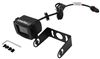
With that said we do have the Voyager rear camera part # VCMS17B which will work with your Jensen stereo.
Let me know if the fuse fixes it or not though.

Product Page this Question was Asked From
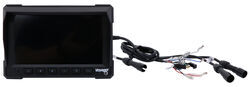
Voyager RV LCD Observation Monitor - 7" Screen - 3 Video Inputs

- Accessories and Parts
- RV Camera System
- Monitors
- Voyager
more information >
Featured Help Information
Instructions

Continue Researching
- Q&A: Correct Replacement for Voyager AOM713 Monitor
- Q&A: 7 Inch Monitor to Replace AOM713WP Monitor on Voyager RV Observation Camera System
- Q&A: Replacement Monitor for Voyager AOM701
- Q&A: Is Remote of Advent Air RV AC System w/ Wall Thermostat # ADV62SR Wired or Wireless
- Q&A: What Monitor is a Direct Replacement for My Voyager VOM-784CT in My 2006 Holiday Rambler Ambassador?
- Q&A: Recommended Hitch and Installation Time for a 2024 - 2026 Chevrolet Blazer EV
- Q&A: Can I Replace a Voyager VOM-784CT Monitor and Maintain the Tilt Function for the Rear Camera?
- Article: 30-Amp and 50-Amp RV Service: What's the Difference?
- Article: Converting Your RV Water Heater to Tankless
- Article: Wiring Trailer Lights with a 7-Way Plug (It's Easier Than You Think)
- Article: Most Popular Wheel Bearings
- Article: Best Vehicles to Flat Tow Behind an RV
Jameson C.
8/15/2025
Hey Richard, did you get a chance to check the fuse at the back of your stereo? I'm curious if that solved the issue for you. If you're still having trouble, I'm here to help you figure it out!