


How To Program the Comination for the Trimax 1-1/4 Solid Brass Padlock # TMX83FR
Updated 06/02/2022 | Published 06/01/2022
Question:
Good afternoon, I rent several storage lockers, and want a bunch of these locks with the same combination. I see that the combination can be changed, but how exactly is that done? Thanks!
asked by: Neil Z
Expert Reply:
When you first receiver your Trimax 1-1/4" Solid Brass Resettable Combination Padlock # TMX83FR the combination is factory set to 0-0-0-0. You will simply turn the combination to pins to this and press the shackle down to open.
To set/reset you combination you will need the lock to be open, and then you will insert the included reset key into the side of the lock and rotate 90 degrees in either direction. With the key rotated you will then be able to set the combination to your choice. With the combination set you can release the key and remove from the lock. The lock will now be set to the new combination. Be sure to scramble the code and test the lock to ensure it is set properly.

Product Page this Question was Asked From
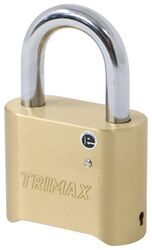
Trimax Combination Padlock - 1-1/4" Wide - 5/16" Shackle

- Padlocks
- Universal Application Padlock
- Combination Lock
- Brass and Steel
- 5/16 Inch Diameter
- Trimax Locks
more information >
Featured Help Information
Instructions

Continue Researching
- Q&A: Can I Re-Use The Nylon Bushing When Adjusting The Height Of The Curt CrossWing
- Q&A: Can the Non-Slider B&W Companion Hitch Be Used on a 2020 Chevy Silverado 2500 Short Bed
- Q&A: What Legs Fit a Curt Q25 5TH Wheel To Factory Pucks on 2024 Chevy Silverado 2500 Short Bed?
- Q&A: 5th Wheel Hitch Recommendation for a 2025 Chevy Silverado 3500 with OEM Pucks
- Q&A: Can Single Wire Clearance Light Be installed To Replace 2-Wire Light On Travel Trailer
- Article: Is It Illegal to Leave My Hitch on My Truck?
- Q&A: Trailer Running Lights Do Not Work but Brake Lights and Turn Signals Do Work
- Q&A: Dimensions of InfiniteRule Trailer Coupler Lock