


How To Pair Bluetooth Devices To The Furrion DV3300SBL RV Stereo System
Updated 02/05/2025 | Published 05/10/2022
Question:
The DV3300 has a USB port on the front. Can I plug a soundbar into that port?
asked by: Dan L
Expert Reply:
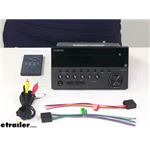
The Furrion RV Stereo # DV3300SBL can be paired to your smartphone by completing the following steps:
1. Activate Bluetooth mode on your mobile device. Then press the Bluetooth button on the front panel of DV3300S to enter pairing mode.
2. When DV3300S is detected by your mobile phone, the device name FURRION DV3300S-BL-XXXX (where X can be any character from A-Z or number from 0-9) is shown on your mobile phone.
3. Select the device name on your mobile phone, then an input box will pop up, asking you to input a password.
4. Input 0000 and confirm. Upon successful pairing and connection, 'LINK OK' will appear on the LCD of DV3300S.
As for the sound bar, you would need to physically plug the stereo into the sound bar with either the HDMI or RCA ports to get them connected to each other. The Bluetooth feature is for input only and not for output so there would be no way for it to output audio to the sound bar wirelessly.


Aiden R.
5/25/2024
Thank you
Marc
7/11/2024
Furrion DV3300 paired as above when RV first powered up this spring. Then BT stopped linking to… iPhone, iPad, MacBook - it’s just not there on the list, appears to not be broadcasting its availability (pairing signal). Tried a new Samsung phone, it appeared and synced on the phone, however the Furrion still displayed NO LINK. Pressing the Furrion Bluetooth (logo) button once briefly simply changes from Bluetooth input to radio. Holding the Bluetooth (logo) button changes the equalizer profile (rock, classic, news, etc.) There MUST be some combination of buttons to hold down to get the Furrion into broadcast pairing mode, just like all other Bluetooth devices. Please help. Thanks!


Charles
2/4/2025
My furrion dv3200s-bl says I need an app to connect Bluetooth to my phone

Featured Help Information
Miscellaneous Media

Continue Researching
- Search Results: gooseneck puck
- Search Results: gooseneck
- Search Results: roof vent cover
- Video: Checking Out the MaxxAir Standard Roof Vent Cover
- Q&A: PIN for Bluetooth Pairing of Furrion RV Stereo
- Shop: Curt Pop-In Ball for Factory Chevy/GM, Ford, Nissan, and Ram Underbed Gooseneck Hitches - 3"
- Shop: Curt Pop-In Ball for Chevy/GM, Ford, Nissan, and Ram Underbed Gooseneck Hitch - 3" - 38K
- Shop: Curt Pop-In Ball for Chevy/GM, Ford, Nissan, and Ram Underbed Gooseneck Hitch - 2-5/16" - 38K
- Shop: Fifth Wheel Hitch
- Shop: Replacement Dome Assembly for Ventline Ventadome Trailer Roof Vent - Smoke - Wedge Shape - Plastic
- Shop: MaxxAir Standard RV and Trailer Roof Vent Cover - 20" x 19" x 9-1/2" - Black
- Shop: Camco RV Vinyl Trim Insert - Black - 100' Long x 1" Wide
- Shop: Thule Range RV Bike Rack for 4 Bikes - 2" Hitches
- Search Results: rv bike rack
- Video: Review of the Lippert Push Bar for RV Screen Door
- Video: MORryde Standard Frame Hanger X-Factor Crossmember Installation - 2022 Grand Design Imagine Travel T
- Q&A: Using Furrion HDMI Stereo # DV3300 to Play TV Audio Through RV Speakers
- Search Results: rv door parts
- Search Results: screen doors
- Shop: Towing Mirrors
- Video: Seaflo Boats and RVs Battery Disconnect Switch Installation - 2018 Forest River Wildwood X-Lite Trav
- Video: The Low-Down on the MB Sturgis Propane Adapter Hose
- Shop: RV Antenna and Radio
- Shop: Gooseneck Hitch
- Search Results: 13241
- Video: Comprehensive Review: Dometic FanTastic Ultra Breeze Trailer Roof Vent Cover
- Video: Replacement Flush Ball Seal for Dometic RV Toilet Review
- Q&A: Bluetooth Pairing Instructions For DV7200 RV Stereo System
- Q&A: How is Lippert Components Slide Out Stop Can Removed/Installed
- Q&A: How to Pair Camera and Monitor of Furrion Vision S Observation Camera FOS43TASF
Dan L.
5/10/2022
The DV3300 has a USB port on the front. Can I plug a soundbar into that port?