


You're setting up a Victron inverter on a newer laptop and can't connect. This MK3-USB-C interface links VE.Bus devices to a computer for full configuration and firmware updates, using USB-C to avoid adapters so changes go through cleanly.
Basic monitoring tools fall short when a VE.Bus system needs real setup work or a configuration change after installation. This interface gives you a direct VE.Bus to USB-C connection to a computer for configuration, with support called out for Victron inverter and inverter charger products. That puts the system on a wired connection when you need to change settings instead of being stuck with default behavior, so you can move from partial access to actual setup control on supported hardware.
When a supported VE.Bus device needs a firmware update, lighter interfaces don't cover the job. The MK3-USB-C Interface is specified for firmware update capability on VE.Bus enabled devices, using a computer connection through USB-C. You plug into the system with the interface intended for that task, run the update workflow on compatible equipment, and finish with the device updated through the same connection used for configuration.
One of the common hang-ups with service hardware is reaching for an older computer just to get connected. This interface uses a USB-C connection for managing settings on supported Victron products, so it matches the port style called out in the dataset instead of relying on older computer connections. In the real world, that cuts down one more barrier between your VE.Bus device and the software session you need to start.
Compatibility questions can stall a purchase fast, especially when the job involves more than one piece of Victron equipment. The dataset explicitly lists support for Multi, MultiGrid, MultiPlus, MultiPlus-II, Quattro, VE.Bus BMS V2, ECOmulti, EasySolar, EasyPlus, and VE.Bus inverters. That gives you a defined list to work from up front, so you can match the interface to supported VE.Bus hardware before setup, reconfiguration, or firmware work begins.

Videos are provided as a guide only. Refer to manufacturer installation instructions and specs for complete information.
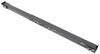
Hi, everyone. Steve here with etrailer. Let's take a look together at our Victron interface VE.Bus to USB-C. Now folks, this interface basically connects compatible VE.Bus devices to your computer. That way, you can do configurations or firmware updates. It does give you a little bitty mounting bracket here as well.
There's no hardware, nothing like that included, but you can mount this in place, inline, and again, you've got the USB-C to the RJ45 connection. Now, basically, I would say this is more like a dealer tool, if you will. I wanna caution everybody, make sure you read the instructions before you plug this in. If you're getting this, make sure you know what you're doing because you can easily mess up some settings if you're not careful and those kind of things. So, Victron has lots of great training videos and information on their website as well for you to be able to do those things.
And you can, you know, check that out or you can reach out to us as well. I do wanna throw up a graphic of kind of how this sits or it's used. You got your laptop, computer, whatnot. This device goes in between that and the Victron components. And that's what's gonna basically allow it to talk to those and do your updates, whether it's firmware updates and those kind of configurations, your personal settings, those kind of things.
So, that's what this device is doing. As always, again, reach out to us if you have any questions. I'm Steven. Thanks for watching.
Customer Satisfaction Score:
95% were satisfied with this product
5% of customers were not satisfied
Ratings & Reviews

Info for this part was:
At etrailer we provide the best information available about the products we sell. We take the quality of our information seriously so that you can get the right part the first time. Let us know if anything is missing or if you have any questions.










Thank you! Your comment has been submitted successfully. You should be able to view your question/comment here within a few days.
Error submitting comment. Please try again momentarily.