bing tracking image
Q & A Icon

Troubleshooting Hopkins Smart Hitch Grid Lines Display  

Updated 06/15/2020 | Published 12/07/2017

Question:

I have no grid lines on my monitor for hitch mode or everyday mode. How can I fix this?

0

Expert Reply:

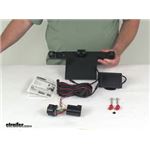
The Hopkins Smart Hitch Backup Camera and Hitch Aligner System # HM50002 you will simply press “IN” on the side button and press up or down on the button to activate hitch mode from “OFF” to “ON”. Repeat process to go back to Everyday Mode. I've attached the installation details to assist.

expert reply by:
0
Jason S
Robert C. profile picture

Robert C.

12/7/2017

I have no grid lines on my monitor for hitch mode or everyday mode. How can I fix this?

Jason S. profile picture

Jason S.

12/7/2017

I reached out to my contact at Hopkins and they said since you don't have grid lines in either mode, there is something internally wrong with the unit. If it is still under the 1 year warranty, they will replace it for you. If not, you will need to purchase another unit.
Ronald F. profile picture

Ronald F.

6/11/2020

I HAVE A 2006 FORD F150 WITH T.T. I HOOKED UP THE UNIT AND IT WORKED FOR A INSTANCE. NOW NOTHING ???????

Chris R. profile picture
Etrailer Expert

Chris R.

6/15/2020

Is the screen completely black on the monitor? I would just make sure that you're still getting power at the 7-Way. There could be a blown fuse under the hood for the trailer reverse light circuit.

Product Page this Question was Asked From


Q & A Icon

Continue Researching

See More Q&A Expert Answers >>